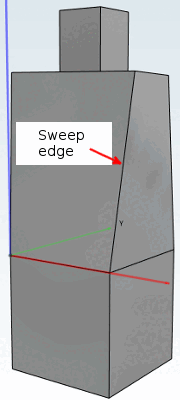
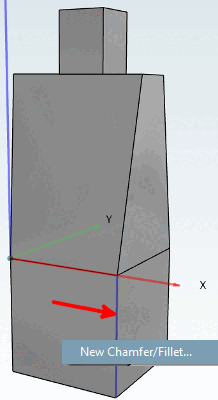
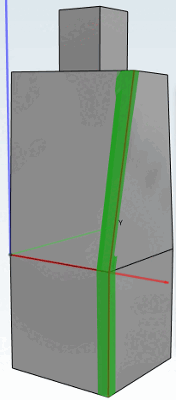
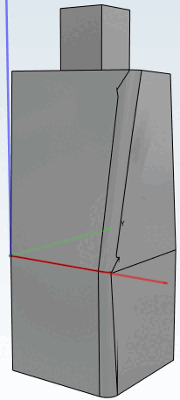
Selezione della superficie: le miscele sono consentite solo se è selezionata una superficie non sweep. Se la superficie stessa ha superfici vicine che sono sweep, la funzione di fusione funziona. Qualsiasi altra combinazione non è supportata. Figura 7.293, “La funzione di sfumatura non può essere applicata all'area di spazzamento.” Pertanto, anche se una delle superfici selezionate è una superficie sweep, la fusione non funzionerà (vedere ).
Figura 7.291, “La funzione di fusione non può essere applicata al bordo tra 2 superfici di spazzamento.” Figura 7.292, “La funzione di fusione non può essere applicata al bordo tra la superficie di spazzamento e la superficie regolare.”Selezione degli spigoli: l'utente non può selezionare alcuno spigolo se una delle facce vicine è la faccia laterale di uno sweep (vedere e ). Figura 7.289, “Sfumatura sulla parte anteriore dello sweep (selezione)” Figura 7.290, “Sfumatura sulla parte anteriore dello sweep (risultato)” Sono consentiti gli spigoli adiacenti alla parte anteriore o posteriore di uno sweep (vedere e ).
Sezione superficie: non appena una delle superfici selezionate è una superficie di spazzamento, la miscela non è supportata.
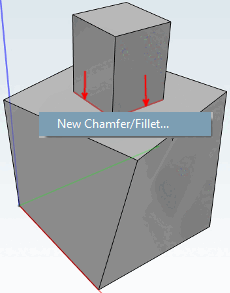
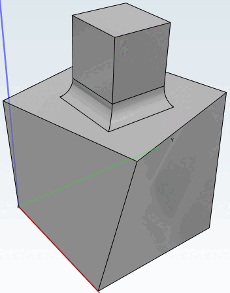
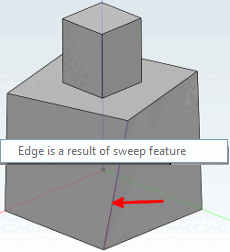
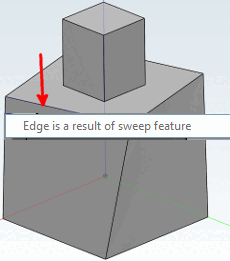
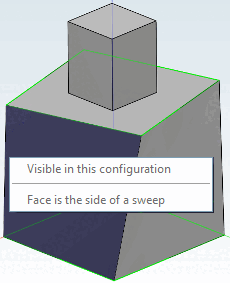
Figura 7.297, “Bordo di spazzamento accecato a causa della continuazione tangenziale”Proseguimento tangenziale: se uno spigolo deve essere proseguito tangenzialmente e lo spigolo risultante è a contatto con le superfici di uno sweep, la fusione fallisce (vedere ). Non viene visualizzato alcun messaggio di errore, ma il componente, a seconda del sistema CAD, fallirà durante l'esportazione.