| Note |
|---|---|
A prerequisite for installing Windchill PDMLink is that the CAD interface is installed correctly . No additional packages or special licenses are required for installation. For instructions on how to deploy the JSP files, see Section 4.3.1.4.2, “JSP files ”. | |
Prerequisite: There must be a server connection.
In Creo, go to File -> Manage Session and select the Server Management option.
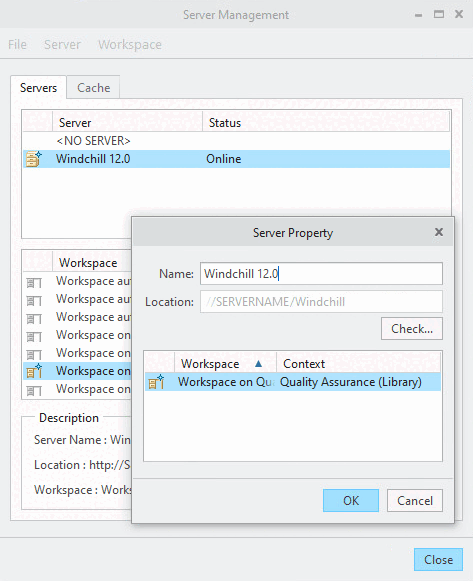
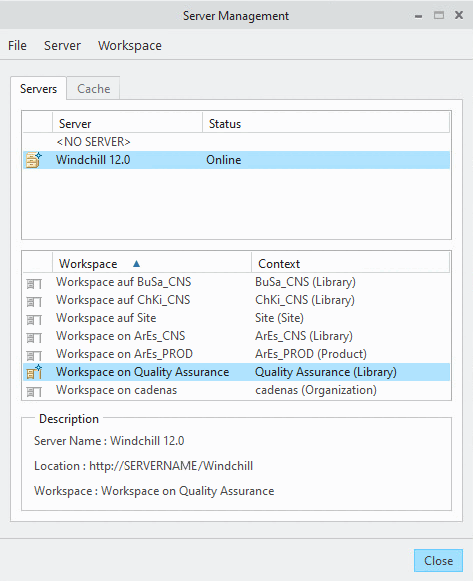
-> The dialog box of the same name opens, where you specify the server and library.
Select the Server menu -> Register new server.
Under "Name," enter a name for the server. Under "Location," enter the IP address of the server. It is important to include "/Windchill " after the server name. This is the only way the server will be found.
http://devwindchill12.cadenas.internal/Windchill
-> The search for existing libraries begins. These are displayed in the window below.
Select the desired library and confirm by clicking .
-> This library's workspace is used as the workspace for the Creo user.
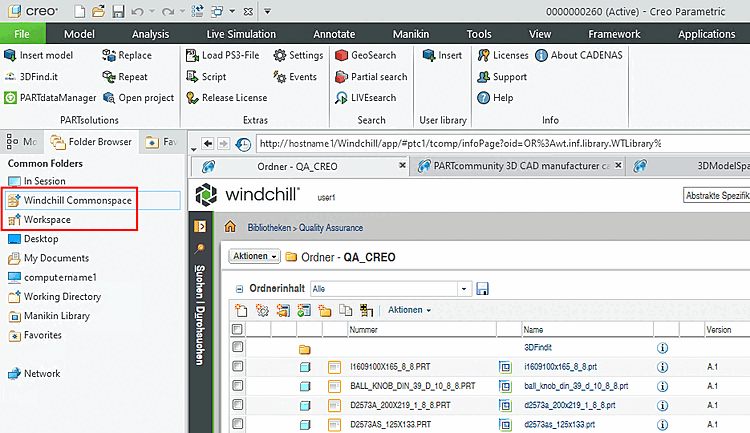
After double-clicking on Windchill 12.0 or the selected workspace, Windchill Commonspace and Workspace appear in Creo .