You can configure the settings in the "Node Editor" section of the node.
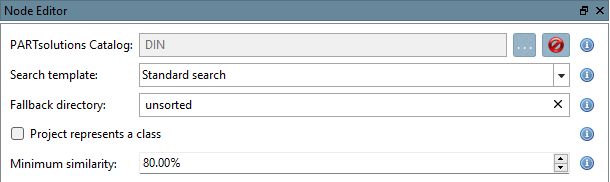
- "PARTsolutions Catalog:"
The reference catalog: the PARTsolutions catalog, which is used to search for similar parts. Its class structure provides the suggested paths.
- "Search template:"
Geometric search template used to compare the parts . "Standard search" is recommended. "Broad search" uses additional methods, but does not always yield the same results and is rarely needed.
- "Fallback directory:"
A directory used when no appropriate class can be determined (e.g., “unsorted”). This way, unassigned parts are collected in one place and can be processed later.
- "Project represents a class"
If this option is enabled, each project in the reference catalog is treated as its own class. The part is then assigned to the best- matching project—which is useful for catalogs with multi-line projects, where a project represents a class. If it is disabled, the directories in which the projects are located are treated as classes.
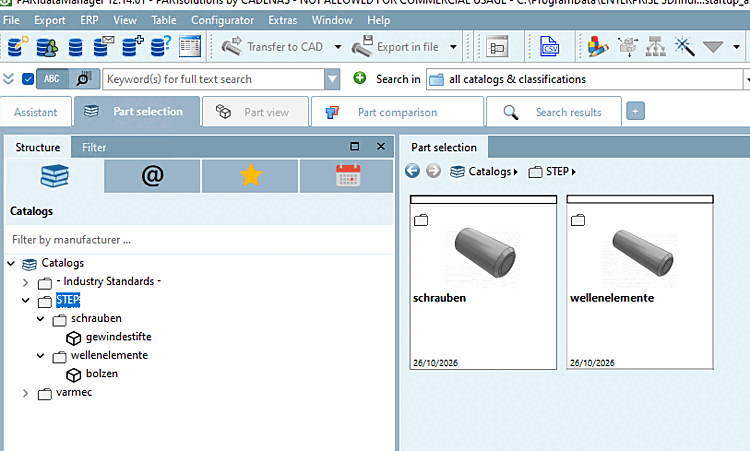
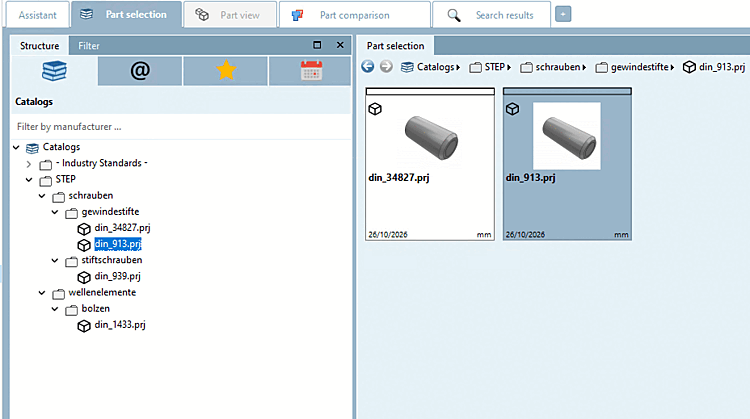
The following figures show the same example using the “DIN” catalog as the reference catalog: When the option is disabled, the structure ends with the directories of the reference catalog; when the option is enabled, the projects (e.g., “din_913.prj”) are also included as classes.
- "Minimum similarity:"
Minimum geometric similarity in percent (default: 80.00%). If this value is not reached, the alternate directory is used.