
1.7.5.15.4.
Block [PARTdataManager] - Global settings
for PARTdataManager 1.7.5.15.4.12.
Key
"TABCONTENT_SEARCHRESULT_DEFAULT_REQUEST_PATH" |  |
| Prev | Next |
You can configure,
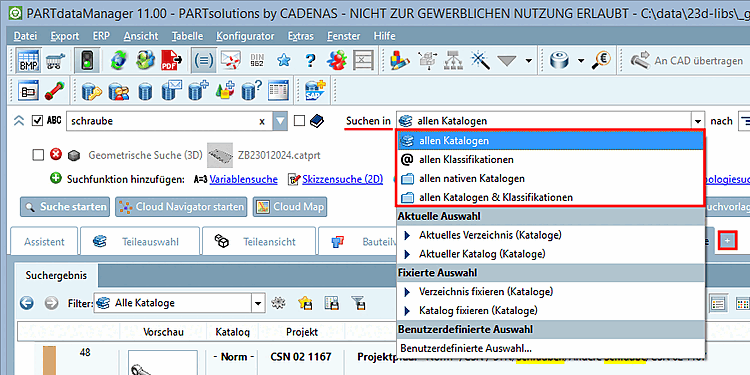
with which selection under Search in itself
PARTdataManager or a new search tab opens  .
PARTadmin -> Category Configuration Files [Configuration files] -> $CADENAS_SETUP -> partsol.cfg -> Block [PARTdataManager] -> Key TABCONTENT_SEARCHRESULT_DEFAULT_REQUEST_PATH
In the list box, you will find the following options:
With another setting, you can specify whether to use the configured default search path or the most recently used one.
PARTadmin -> Category Configuration Files [Configuration files] -> $CADENAS_SETUP -> partsol.cfg -> Block [PARTdataManager] -> Key TABCONTENT_SEARCHRESULT_DEFAULT_REQUEST_PATH_STARTUP