5.24.3.4.3. Generate a self-signed certificate 5.24.3.4.3.1. Generate a self-signed certificate in PARTadmin on the
PARTapplicationServer |  |
| Prev | Next |
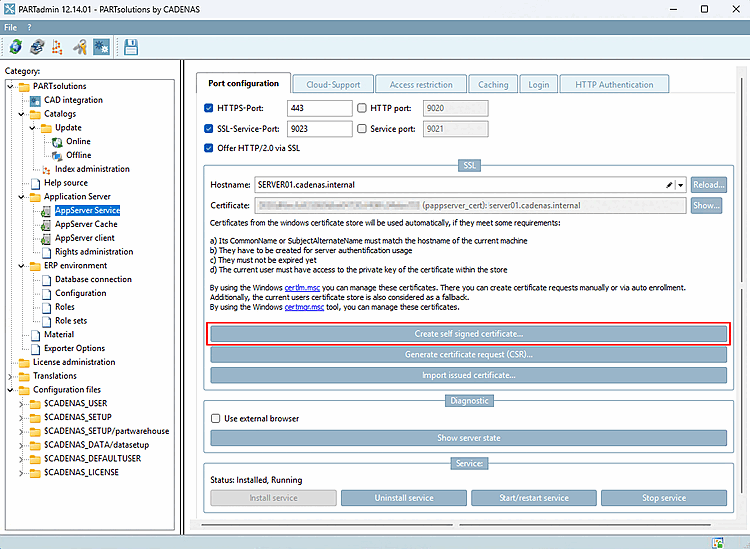
Open the AppServer category Service -> Tabbed page for Port Configuration [Port configuration].
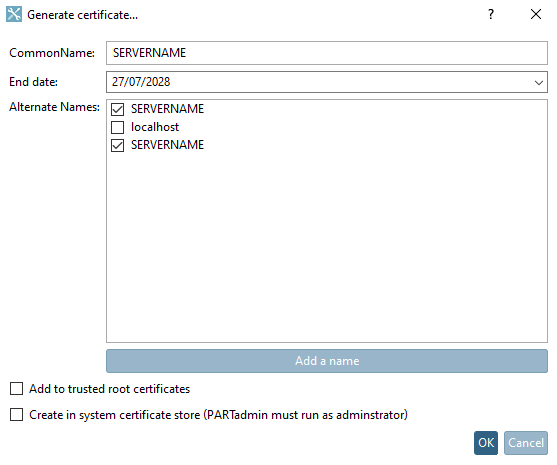
-> The " Create Certificate..." [Generate certificate...] dialog box opens.
Make any necessary changes and then click .
-> certificate and key are available at
$CADENAS_SITESETUP.Copy the certificate to a location where the clients can access and install it.