

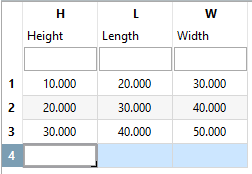
Click on Add row
 to add an empty additional row at the end of the table. The current selection is irrelevant.
Use the arrow key next to the button to open the Add line [Add row] dialog and add any number of lines using the Number field. Confirm your entry with the return key.
Under the single variables insert the desired values.

![[Note]](https://webapi.partcommunity.com/service/help/latest/pages/en/installation_ecatalogsolutions/doc/images/note.png)

![Variable manager [Variable Manager] -> Unit](https://webapi.partcommunity.com/service/help/latest/pages/en/installation_ecatalogsolutions/doc/resources/img/img_fb2d556271ed47759df83bb26ed85254.png)