
 |
You can show or
hide the dialog area of enhanced search methods. Therefor simply
click on the arrow icon 
 . Default is hidden state.
In the hidden state only the Full-text search is visible.
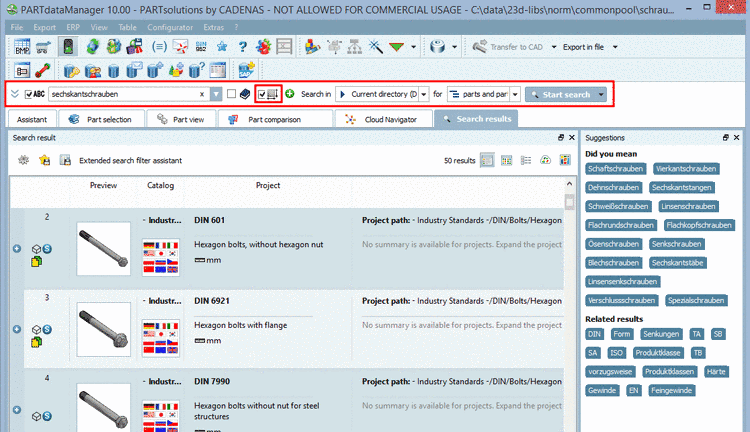
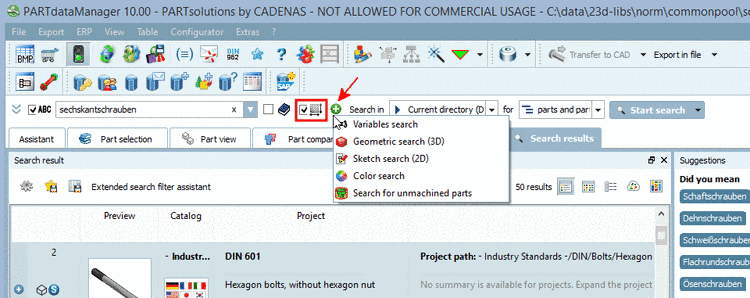
You can access the
enhanced
methods in the hidden state as well. Simply click on the green
Plus button  . Used methods are displayed with checkbox and icon.
When clicking on the icon the respective settings dialog box opens.
. Used methods are displayed with checkbox and icon.
When clicking on the icon the respective settings dialog box opens.
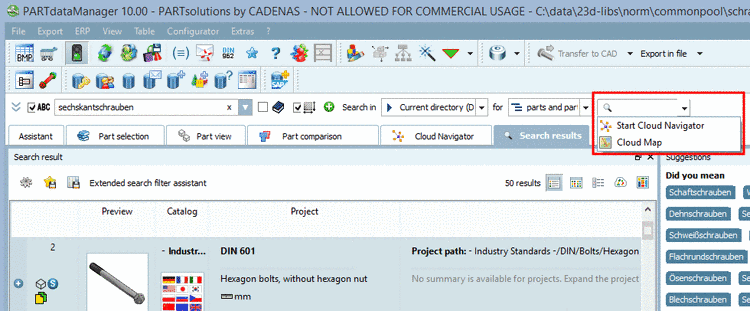
You can access the Cloud Navigator search or Cloud Map search as well.
Click on the small arrow in the button .
When opening the area of enhanced search methods you can see the setting parameters in addition and also the button for beside start buttons for search methods.
