1.9.1.1.4. Complete
uninstallation: Also for CADENAS_DATA and other directories
If you restart the msi installer with already installed software
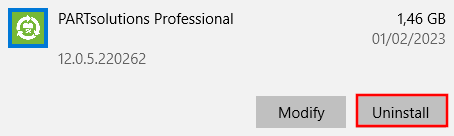
or select the installed program via Windows > Add or remove programs and then press Change,
to open the Change, Repair or Remove installation dialog.
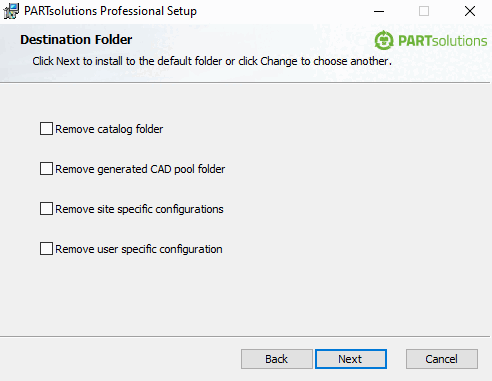
Click on Remove to open the Destination folder [Destination Folder] dialog.
Here, you will
find the following options:
Remove folder for installed catalogs: CADENAS_DATA
Remove folders for created CAD files: CADENAS_POOL - Create a backup of the files if they are still in use.
Remove company-specific configurations: CADENAS_SITESETUP
Remove user -specific configurations: CADENAS_USER - Remove user-specific configurations for the logged-in user
![[Note]](https://webapi.partcommunity.com/service/help/latest/pages/en/installation_ecatalogsolutions/doc/images/note.png) | Note |
|---|
After Windows > Add or remove programs > Program selection > Uninstall all software including CADEAS_SETUP, start.env, scripts, etc. will be removed.
Back up these files if necessary. CADENAS_DATA, CADENAS_SITESETUP and CADENAS_USER remain. So if you really want to remove everything, go to Change -> Remove. |