1.14.1.3.2.
PARTdesigner
1.14.1.3.2.23.
Sketch history: Icon for rotation axis, pattern and user comments |  |
| Prev | Next |
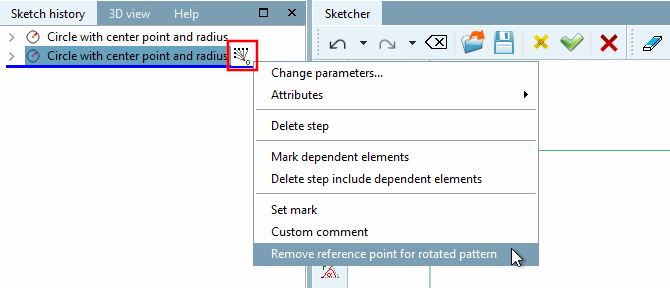
Some actions are marked directly in the sketch history [Sketch history] with an icon:
Reference point for rotation pattern [Reference point for rotated pattern] (can be removed via context menu command)
Pattern origin (can be removed via context menu command)
For certain features, a user comment can be attached so that important steps can be identified (e.g. if there are a lot of combinations with conditional deletion, etc.).
In the context menu of each design step, you will find the User comment [Custom comment] command.
The corresponding dialog box opens when you click on it. Enter your comment and confirm with .
Beside the feature, now an icon is displayed. In order to show the comment as tooltip move the mouse cursor over the icon.