General information about the company and partnerships
Don´t miss anything! Inform yourself aboutall news and events.
The next dimension visual 3d search engine for manufacturer components
Fast and comfortable support for all questions about our products & solutions.
Explore more exciting content here.
Use our contact form or find a branch office nearby.
Open PARTadmin -> category PARTsolutions -> ERP environment-> Database connection.
The ERP activation can be made separately for PARTdataManager and PARTproject:
ERP Activation (PARTsolutions/3DFindIt)
ERP Activation (PARTproject)
Activate ERP
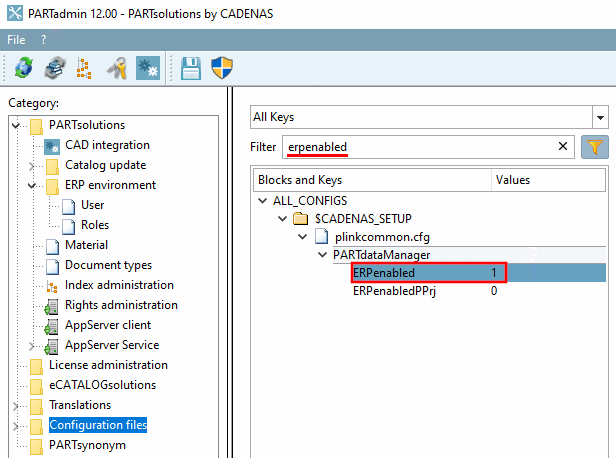
The setting corresponds to the one in category "Configuration files".
Configuration file $CADENAS_SETUP/plinkcommon.cfg
$CADENAS_SETUP/plinkcommon.cfg