1.6.2. Apply users via PARTadmin

[Important]Important

Before a User-Role assignment can take place in PARTadmin, the desired Database user have to actually exist in the database!

Database user can be applied in two ways:

  • Via own database administration

  • Via PARTadmin

Below database users applying with PARTadmin is shown.
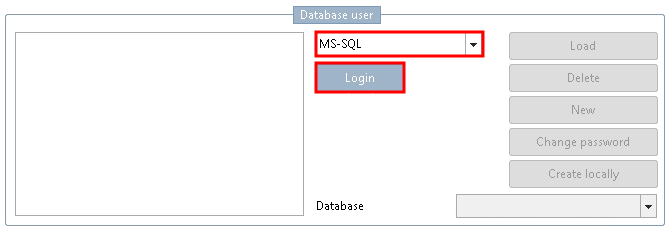
Do the following:

  1. In the list field select the database servers used. In the training manual the MS-SQL database server is used.

    Click on Login.

    Login

    Login

  2. The Database login… shows up.

    Log in under Database "PLDBDEMO".

    Log in with admin rights otherwise changes are not possible.

    User: sa

    Password root

    Confirm with OK.

  3. After successful login the Load button is active. All database users appear after clicking on it.

    Demo-database user:

    • ecat

    • location

    • mechanical

    • plant

    • product_aircraft

    • product_automotive

    • quality

    • release

    • supplier

    Applied database user

    Applied database user

  4. Via New you can apply new database users via User and Password (Confirm password).

    Leave the setting under default database and user group.

    Confirm with OK.

  5. You have the option of changing the password for the user.

    Choose the desired user and click on Change password....