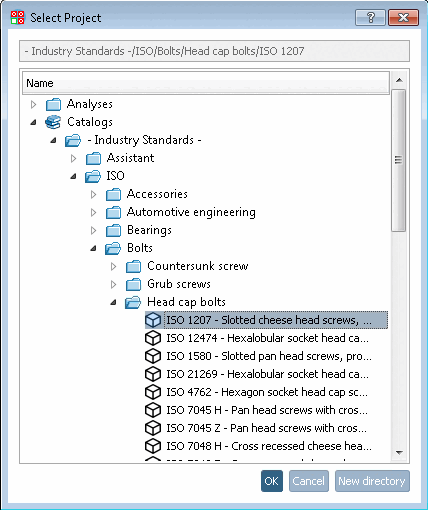
You can add link projects from a PARTsolutions catalog (e.g. standards catalog) to your own catalog. These are then available without being a direct part of your catalog.
Click on the context menu command Add PSOL project link.
-> The Project selection [Select Project] dialog box opens, which displays the complete PARTsolutions catalog structure.
For example, select a specific project in the standards catalog and confirm with .
-> The linked PARTsolutions project is displayed with project icon
 . Before committing a blue plus sign is shown
inside the icon, after committing a green checkmark.
. Before committing a blue plus sign is shown
inside the icon, after committing a green checkmark.

![[Note]](https://webapi.partcommunity.com/service/help/latest/pages/en/installation_ecatalogsolutions/doc/images/note.png)