1.14.1.3.1. PARTproject 1.14.1.3.1.24. Visualization of
collision-spaces / working spaces generated from classification data |  |
| Prev | Next |
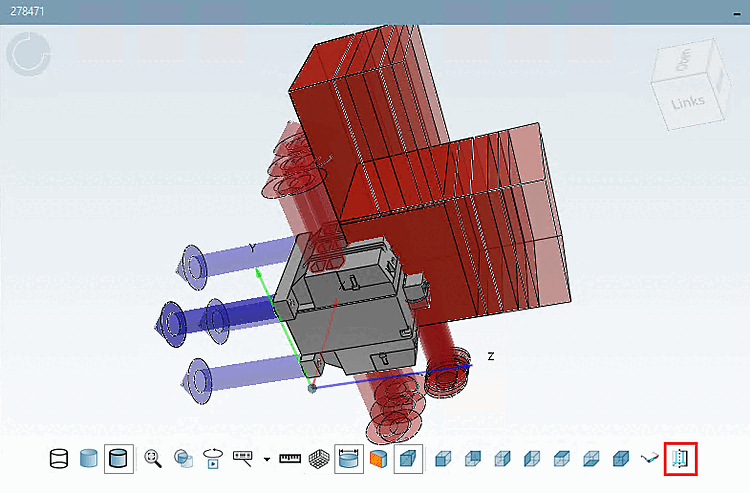
If products are equipped with the corresponding class characteristics (this is usually done automatically), you can visualize interference spaces in PARTdataManager click on Show auxiliary geometry to visualize interference spaces.
To do this, in PARTproject the GeometryFormBox (cuboid), GeometryFormCylinder (cylinder) or GeometryFormSphere (sphere) class is assigned to a specific connection point ( "Connection points [Connection points] " filter [Filter] ) under Type of Area.

The class features 3D identification and 3D file name [3D filename] must be set as mandatory, otherwise the corresponding parameters for determining the geometry ( length, height, width or diameter, length or diameter in relation to the coordinates of the connection point).

If in PARTdataManager the GeometryFormBox option is activated in the 3D view under Classification elements, the individual class features are displayed.

Click on Show auxiliary geometry to visualize the interference spaces.