

The New ident number [new ident-no.] dialog box dialog box can be designed differently for different users and roles.
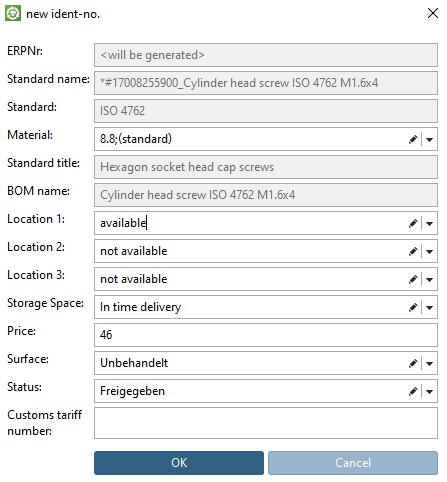
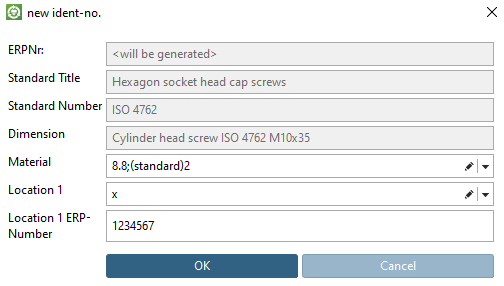
The dialog is set in the configuration file under PARTadmin
-> Konfigurationsdateien -> $CADENAS_SETUP ->
erpcustom.cfg in the block USERDIALOG. The dialog can be specified for individual roles by appending the role name in brackets after the block name [in the figure below "USERDIALOG(LOCRED1)"].
In order to create a specified dialog, proceed as follows:
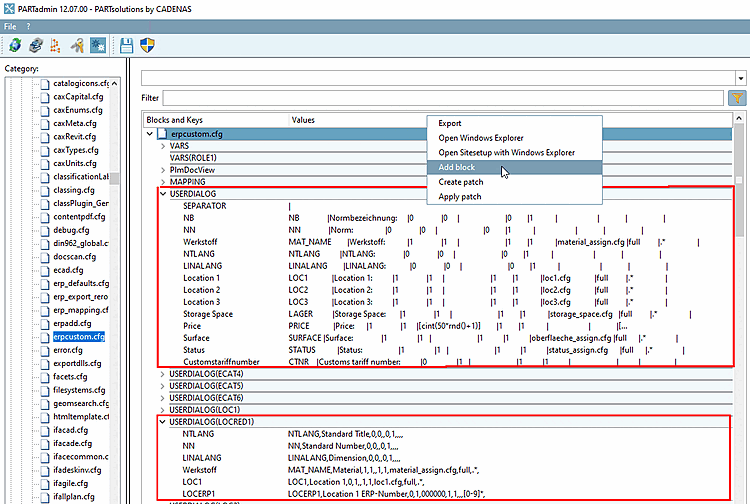
You can reproduce this example when using user "location" and the roles DUMMY (Administrator) and LOCRED1 (Berlin (Anzeige reduziert)).