

Click
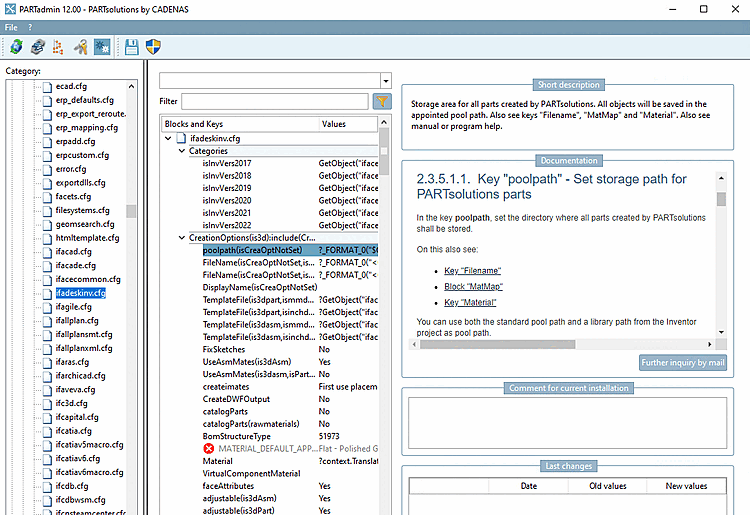
on the icon  , PARTadmin opens with the
CAD system. The right one for your CAD system
Configuration file is already selected. On the right, the corresponding
documentation.
, PARTadmin opens with the
CAD system. The right one for your CAD system
Configuration file is already selected. On the right, the corresponding
documentation.
When clicking single blocks or keys such as "poolpath" for example, the corresponding documentation section is displayed.
![[Tip]](https://webapi.partcommunity.com/service/help/latest/pages/en/installation_ecatalogsolutions/doc/images/tip.png)
General information on configuration files can be found under Section 1.7, “ Configuration files ” in ENTERPRISE 3Dfindit (Professional) - Administration.