

If there is an enrichment for electrical or piping, the corresponding icon is automatically displayed in 3Dfindit.


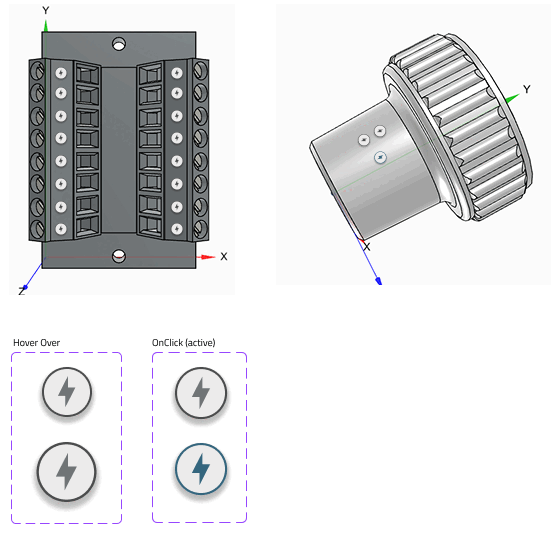
Added value: Users can immediately see what a connection is about.
Note: A current classification must be installed for the points to be visible.
![Example: CNS electrical connections [CNS_CP|...]](https://webapi.partcommunity.com/service/help/latest/pages/en/partsolutions_admin/doc/resources/img/img_99dcdbe6a7484eb388ee8f68781dabcf.png)
![Example: CNS pipe connections [CNSPIPECONNECTOR]](https://webapi.partcommunity.com/service/help/latest/pages/en/partsolutions_admin/doc/resources/img/img_58cd9fed11ea453db1fc7f48f7e50bf5.png)
For further details see Section 5.12.5.6, “3D info points ” in eCATALOG 3Dfindit.