Install the 3Dfindit
ENTERPRISE MSI on the cache server.
In the setup,
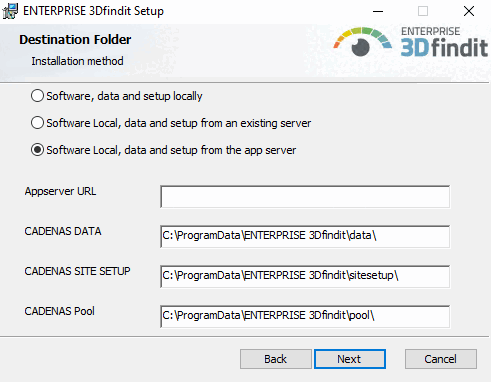
select the installation method "Software
Local, Data and Setup from the App Server."
Enter
the AppServer URL:
https://<appserver.domain.name>?ws=1&flm=1&apikey=<apikey wenn nötig>
Selecting
the installation method and specifying the AppServer URL
Tip
Alternatively
to specify in the setup, you can set the environment variable CADENAS_APPSERVER global –
either in the system environment variables or in the file start.env installation.


![[Tip]](https://webapi.partcommunity.com/service/help/latest/pages/en/partsolutions_admin/doc/images/tip.png)