![[Note]](https://webapi.partcommunity.com/service/help/latest/pages/en/partsolutions_user/doc/images/note.png) | Note |
|---|---|
If operations are to be carried out using variables to determine the correct pipe clamp, a variable release [Variable share] must first be set up for all variables used. | |
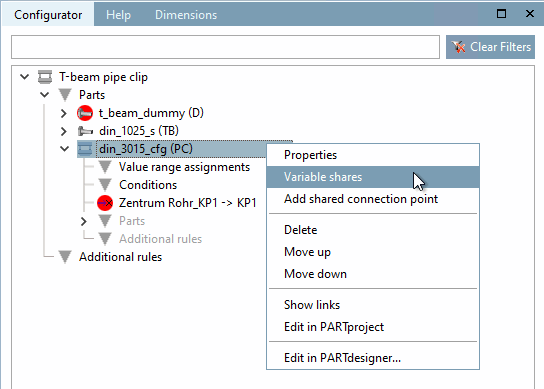
In the Configurator docking window, in the context menu of the "Pipe clamp (R)", click on the Variable releases [Variable shares] command.
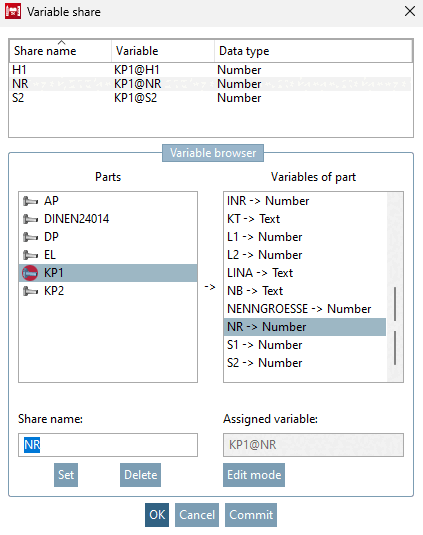
→ The Variable release [Variable share] dialog box opens.
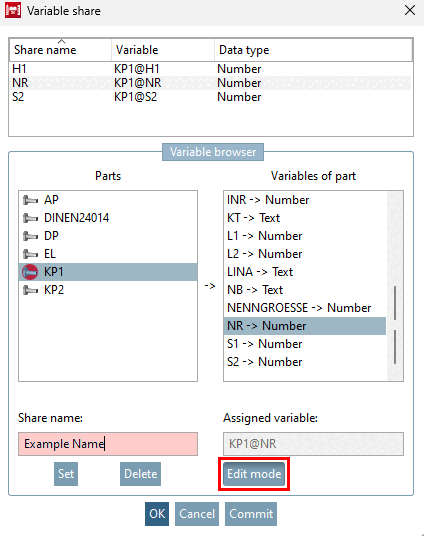
Assign a name under Share name (here "NR").
Select part and variable of the part (here KP1 and NR).
This share is used for a correct row selection in the part "KP1".
→ The share name [Share name] and variable [Variable] are displayed at the top.
In the same way, proceed for "H1" and "S2". These shares are later used for the translation of the pipe clip.