- 5.22.1. Load additional scripts - erpcustom.cfg -> Block [LOAD]
- 5.22.2. Default value for "ACTIVE_STATE" for new part creation / erpcustom.cfg -> Block [VARS] -> Key "NEWASTATE"
- 5.22.3. Values of the "New ident number " dialog window - erpcustom.cfg -> Block [VARS] -> Key "SENDTO", "SENDFROM", "SUBJECT", "SERVER"
- 5.22.4. Values of the "New ident number " dialog window - erpcustom.cfg -> Block [VARS] -> Key "SENDTO", "SENDFROM", "SUBJECT", "SERVER"
$CADENAS_SETUP/ erpcustom.cfg
:
This configuration file is used in order to customize ERP processing.
The file is subdivided in a couple of blocks:
USERDIALOG, VARS, LOAD, BEFTBLLOAD, AFTTBLLOAD, MAIL, ADDTODB
The entries can be entered per group (role). This allows the behavior of ENTERPRISE 3Dfindit to be adapted at role level.
Details can be found under Section 5.12, “ Design "New ident number " dialog box - erpcustom.cfg -> Block [USERDIALOG] ”
When using the SAP MM interface, please see Section 4.3.4.6, “Customizing the 3Dfindit ERP interface ”.
The VARS block contains general keys.
The following entries can be made per group (role). This allows the behavior of ENTERPRISE 3Dfindit to be adapted to specific roles.
[VARS(Rolle1)]
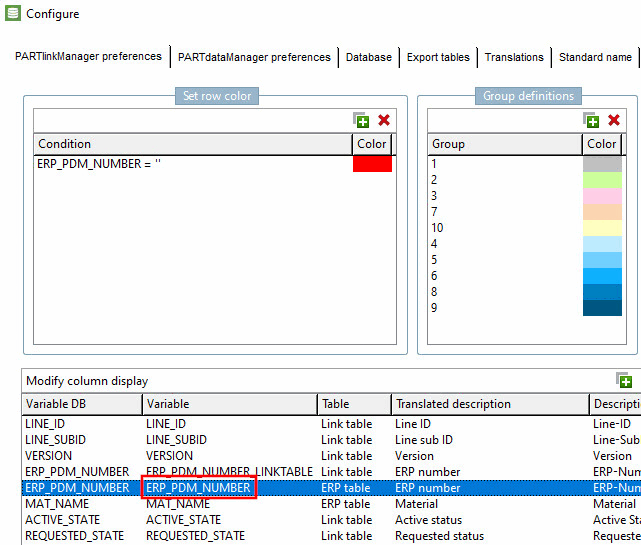
Enter the variable name of the database column here. You can set this in the PARTlinkManager under the menu Extras -> Configure ERP environment.
If you enter a database field here the ERP number is copied into this field (for multiple locations only).
0: The ERP number entered by the user or the number returned by the ERP system is inserted in the link database.
1: A so called timestamp number is generated and inserted into the link database. This setting only makes sense in special cases (e.g. at multiple location systems).
ERPADD=$ CADENAS_SETUP/erpadd.cfg
Contains the path to the configuration file
erpadd.cfg.The paths to the 3Dfindit project files (part families) are shown here in square brackets, including the identifiers for the ERP system with fixed values or the variable names from the 3Dfindit table. A variable name begins with the $ character and ends with the . (dot).
[norm/din_en_iso/schrauben/zylinderschrauben/din_912.prj]
NAME=Screw
FIELD1=$D.
The specified entry is searched for in the corresponding 3Dfindit project file and exported to the ERP system.
![[Note]](https://webapi.partcommunity.com/service/help/latest/pages/en/partsolutions_user/doc/images/note.png)
Note By default, the settings in
plinkcommon.cfgare used and not these. See Section 5.18.6, “E-mail settings / plinkcommon.cfg -> Block [MAIL]”.Address of the e-mail sender when requesting a new ERP number via e-mail.
Name of the e-mail server for requesting a new ERP number via e-mail.
State of the new created part.
Possible values are 0 (locked), 1 (released) and 2 (expired).
A list of scripts that are loaded when
erpcustom.vbbis started.A list of scripts that are loaded before the start of
erpcustom.vbb.A list of scripts that are loaded after starting
erpcustom.vbb.A list of the scripts that are loaded by e-mail [Request ERP number per e-mail] when the Request ERP number [Request ERP number per e-mail] button is pressed
 button.
A list of scripts that are loaded when the Add record to link database [Add dataset to link database] button is pressed
 button will be loaded.
Block [SERVER_CUSTOM_SESSION_SETTINGS]
In the entries can be used to determine which scripts are used during login (e.g. in ENTERPRISE 3Dfindit) invoked become. In the script
SERVER_CUSTOM_SESSION_SETTINGSfilters can be set on ERP variables that relate to the Catalog browsing, table viewing, and search. To Example:[SERVER_CUSTOM_SESSION_SETTINGS] 1=$CADENAS_SETUP/scripts/custom/customsettings.vbb
A possible callback script could look like this:
function execute(settings)
   stdprint(settings.username)
   stdprint(settings.groupname)

   set filter = createObject("cnstools.array")
   filter.add("A")
   filter.add("B")
   settings.setFilterByValue("CTNR",filter)

   set catalogs = createObject("cnstools.array")
   catalogs.add("cat/festo")
   settings.ErpFilteredCatalogs = catalogs

   execute = 1
end function