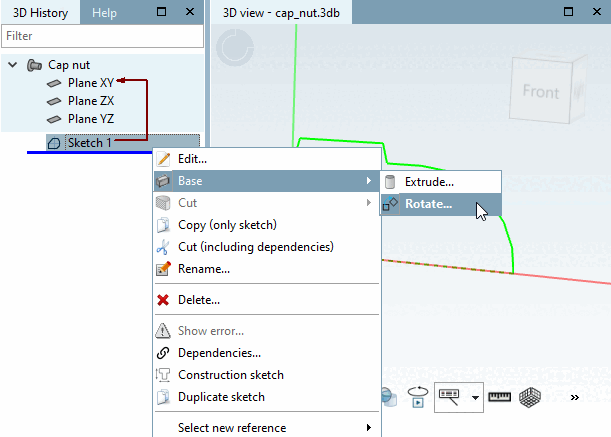
In the History dialog area, click with the secondary mouse button on the sketch 1 just created.
In the context menu, select Solids [Base] -> Rotate.... [Rotate...]
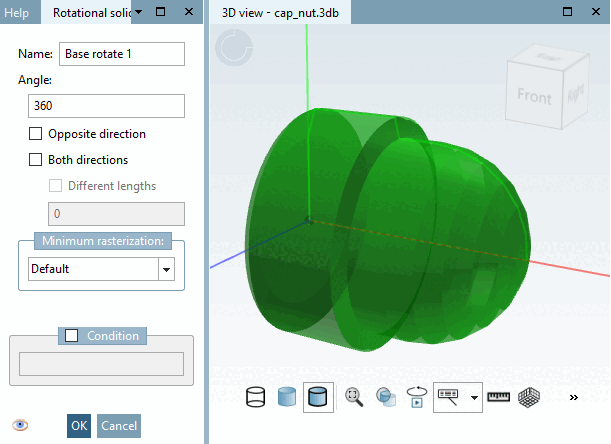
Docking window Rotation body [Rotational solid]: Retain the default value 360° as the rotation angle [Rotation angle] in the Angle input field.
-> The semi-transparent rotated body is already visible as a preview in the 3D view dialog area.
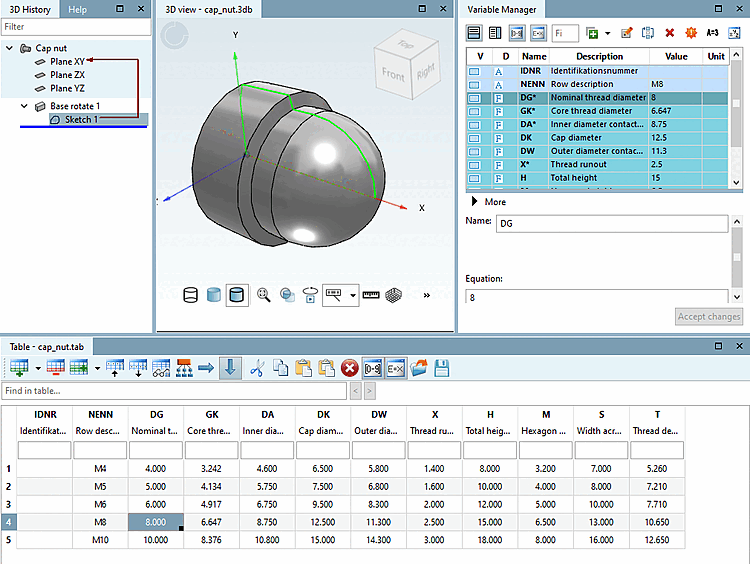
-> After confirming with , the "raw body" of the cap nut is displayed in three dimensions.