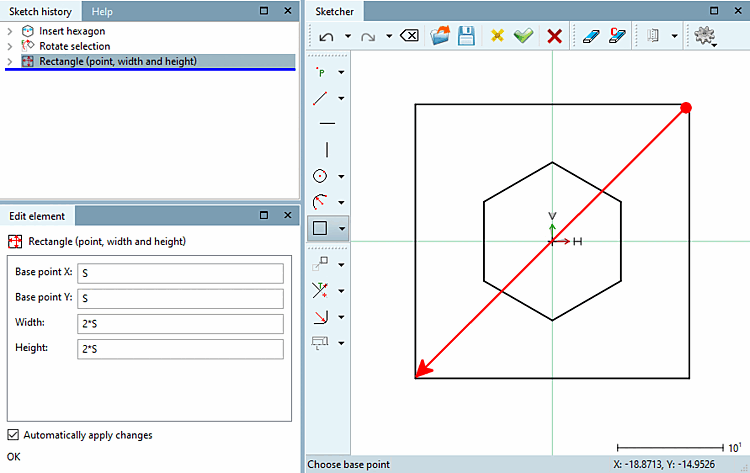
Clicking top right, outside the hexagonal area (positive x/y area), set the starting point of the rectangle.
Drag out the rectangle diagonally, until it encloses the hexagon and fix it with a mouse click again.
Fill in the fields in the Change parameters [Change parameter] dialog box as shown in the illustration.