General information about the company and partnerships
Don´t miss anything! Inform yourself aboutall news and events.
The next dimension visual 3d search engine for manufacturer components
Fast and comfortable support for all questions about our products & solutions.
Explore more exciting content here.
Use our contact form or find a branch office nearby.
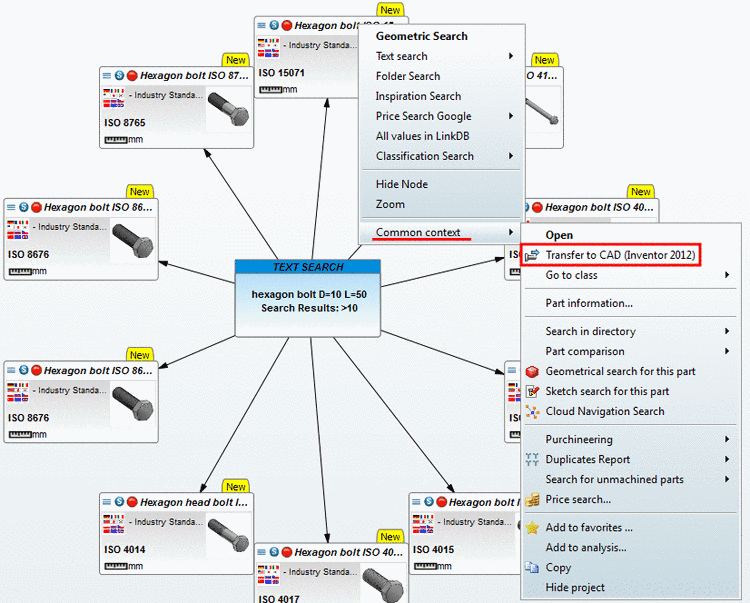
In order to transfer the part to the CAD system proceed as follows:
Open the context menu of the respective part.
Under Common context click on Export to CAD.
Alternatively you have the possibility to open the part in the Part view first and then to export it as usual.
In this case under Common context click on Open.
-> The part is opened in the Part view.
Export the part as usual.