
1.7.5.15.4.
Block [PARTdataManager] - Global settings
for PARTdataManager 1.7.5.15.4.14.
Keys
"PARTSELECTION_SHOW_..." / "PARTSELECTION_..._AS_TAB" - Show/hide
"Structure" items or move on tab |  |
| Prev | Next |
You can show or hide items in the Struktur [Structure] area or move it on its own tab:
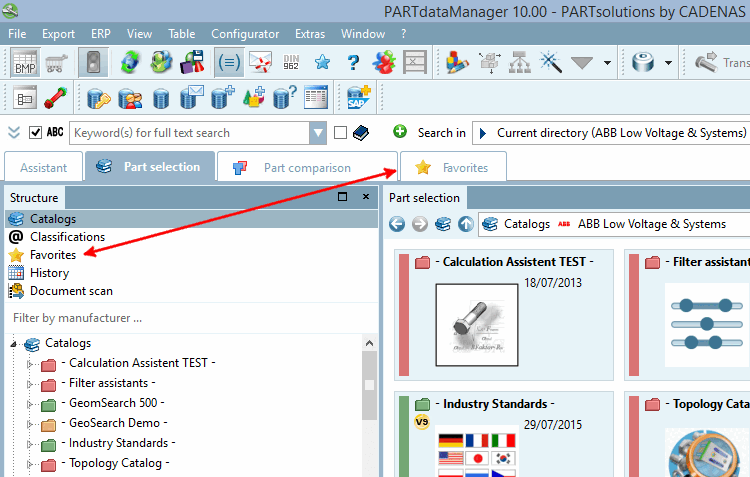
Enable/disable different items in the structure [Structure] area:
As an alternative you can disable different items in the structure [Structure] area and enable as tabs:
Just to hide the item Favorites in the structure [Structure] area:
[PARTdataManager]
PARTSELECTION_SHOW_FAVORITES=FALSE
Hide item Favorites in the Struktur [Structure] area but show it on its own tab
[PARTdataManager]
PARTSELECTION_SHOW_FAVORITES=FALSE
AND
[PARTdataManager]
PARTSELECTION_FAVORITES_AS_TAB=TRUE
![[Note]](https://webapi.partcommunity.com/service/help/latest/pages/en/partsolutions_user/doc/images/note.png) | Note |
|---|---|
If you enable a *_AS_TAB key then you have to disable the corresponding key "PARTSELECTION_SHOW_*". | |