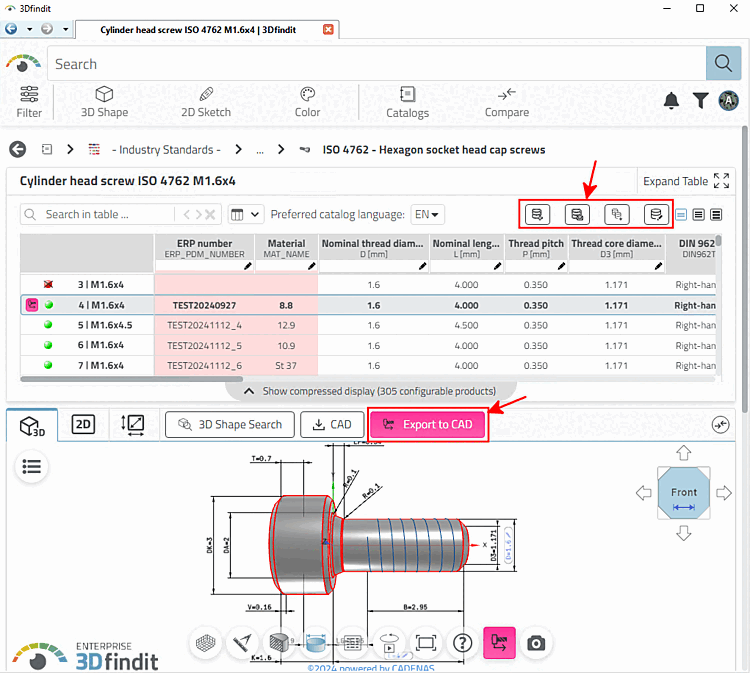
The display or
Hiding function buttons takes place in the configuration file erpcustom.cfg, in the block [WEB_ACTIONS]
instead of.
The following keys are available:
[WEB_ACTIONS]
1=ADD2DB_ACTION
2=SENDMAIL_ACTION
3=EXPORT_ACTION
4=ADDVARIANT_ACTION
5=EDITRECORD_ACTION
6=CREATE_REQUEST_ACTION
7=ADD2DB_REQUEST_ACTION
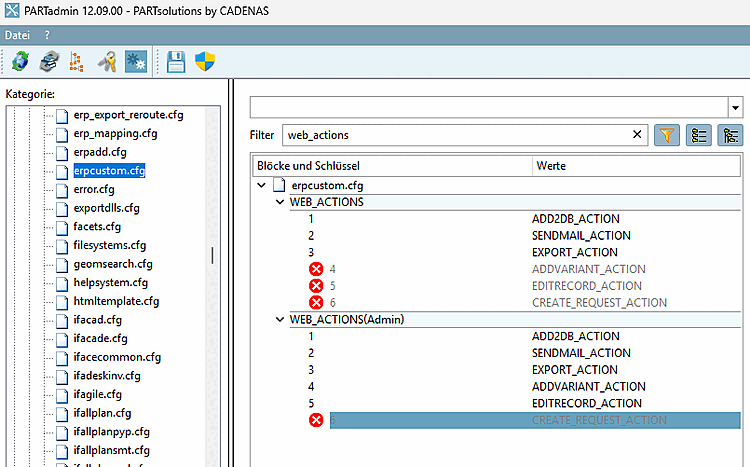
A role-dependent display of the buttons is possible.
[WEB_ACTIONS(Admin)]
keys....
[WEB_ACTIONS(Designer)]
keys...
etc.
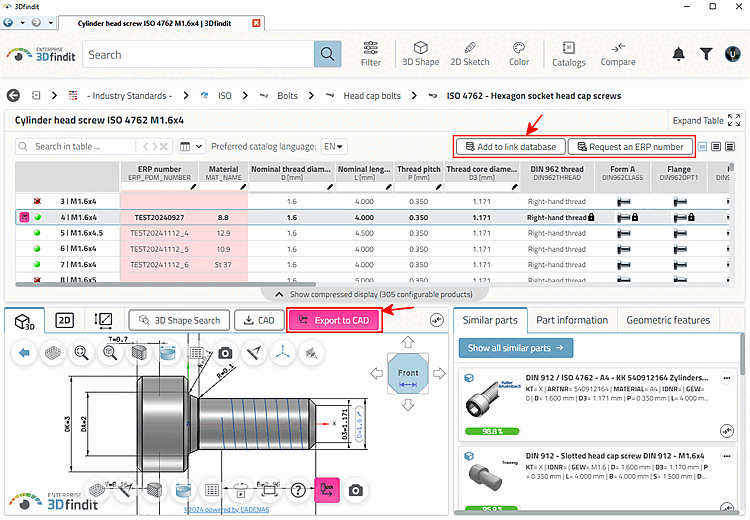
The most important buttons for basic functionality are the Add to link database, Request ERP number and Transfer to CAD [Export to CAD] buttons.
The following figure shows PARTadmin with a block for the basic settings and another one with the admin settings.
The following illustration shows 3Dfindit with admin functionality. For example, in addition to the basic functionality, the administrator can also create variants or delete or edit individual data records.