
 |
Variables added in PARTeditor are displayed with gray font color in PARTproject, in the Order/Groups of Variables dialog box and are visible in PARTdataManager first.
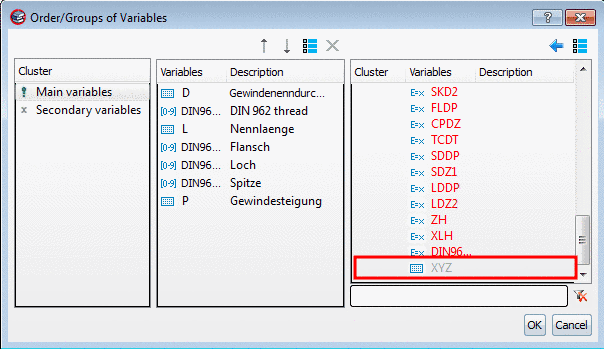
PARTproject: An added variable is displayed with gray font color in the Order/Groups of Variables dialog box first.
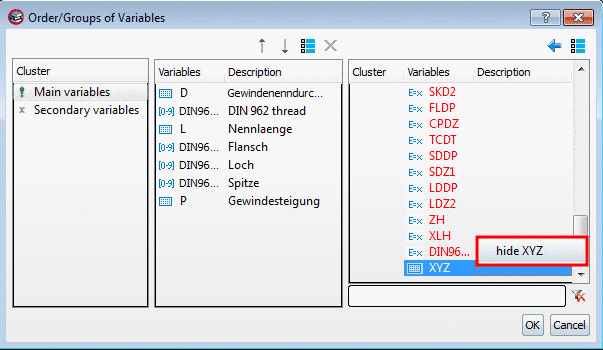
Now the new variable can be hidden via context menu command Hide <Variable> for the PARTdataManager view and is then displayed with red font color. Afterwards it can be assigned to the group Main variables or Secondary variables as it was also the case in earlier versions.
You can find more information on this under Section 5.9.2.3.2, “ Order/Groups of Variables - Hide columns (variables) ” in eCATALOGsolutions Manual.