7.6.2.9.2. Create sweeps with gradient curve
7.6.2.9.2.1. Variant 1:
Initially created by guiding sketch only
|  |
| Prev | Next |
![[Note]](https://webapi.partcommunity.com/service/help/latest/pages/en/partsolutions_user/doc/images/note.png) | Note |
|---|---|
When using this variant it is ensured that the correct planes are used and the pattern origins will fit together. | |
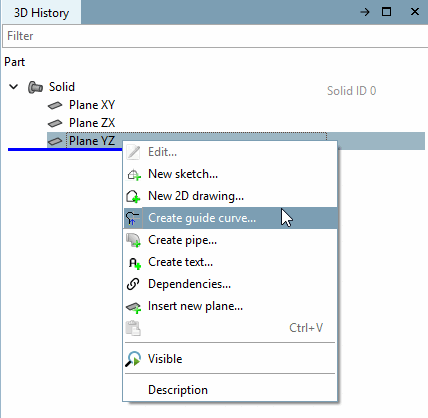
On the 3D history [3D History] tab page, click on the context menu command New history curve.... [Create guide curve...]
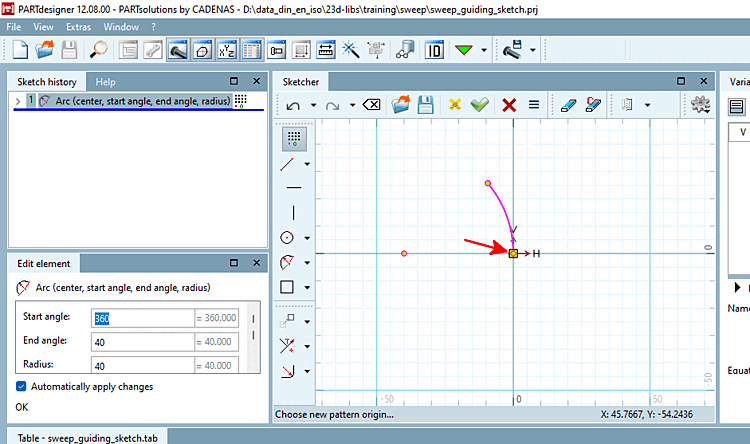
Create the progression curve and be sure to set the pattern origin [Pattern origin] at the start of the progression curve.
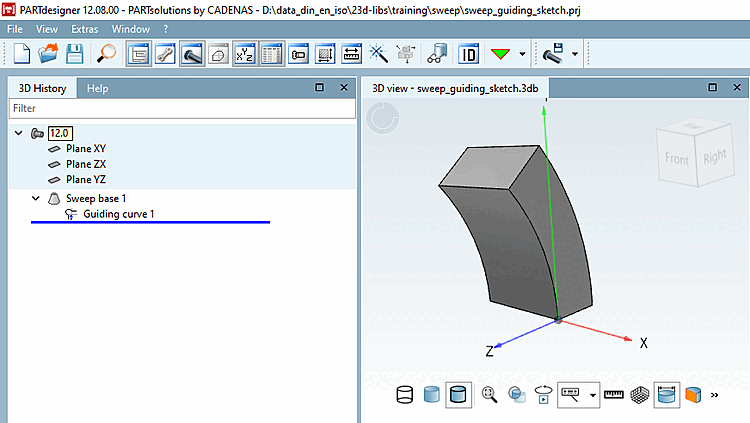
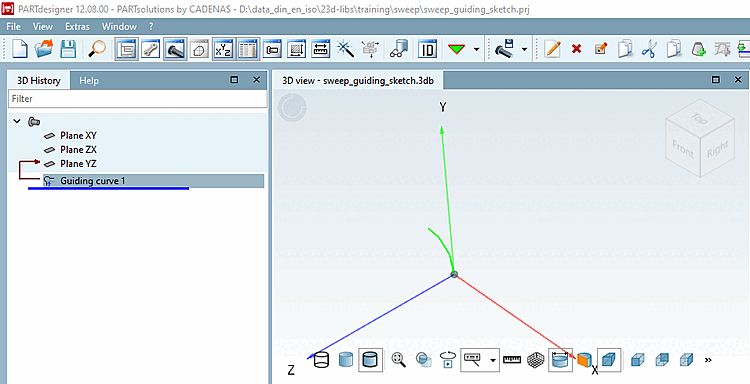
-> The sketch is now displayed as a guiding curve in the 3D history [3D History].
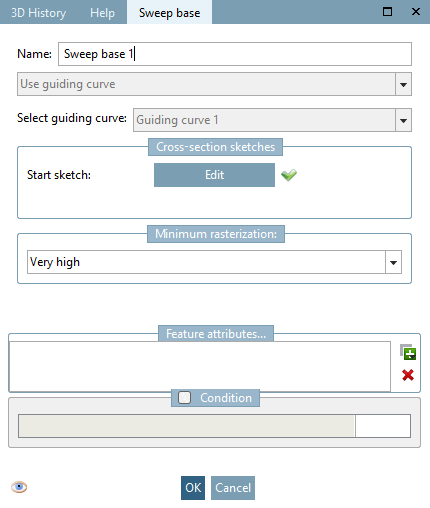
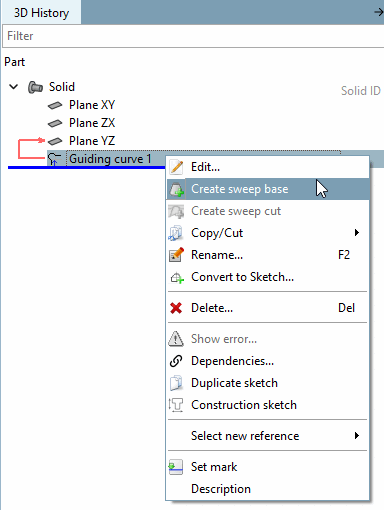
In the context menu of Guiding sketch, click on the Create basic history [Create sweep base] command.
Click on the button under Start sketch.
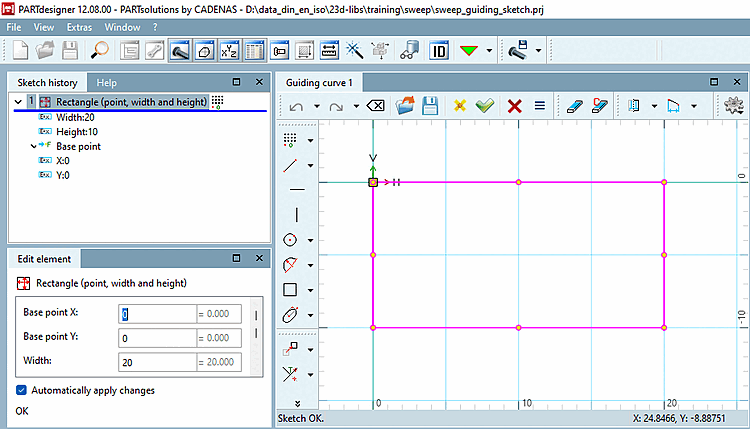
Create the start sketch [Start sketch].
Click on
 Apply changes [Accept changes].
-> On the Basic history [Sweep base] tab page, a green tick is now visible under Start sketch.
The sweep is now created from the start sketch [Start sketch] and progression [History].
![Basic history [Sweep base] " tab page](https://webapi.partcommunity.com/service/help/latest/pages/en/partsolutions_user/doc/resources/img/img_f5feb7e9ad194969b01962c365ec2a5f.png)