|
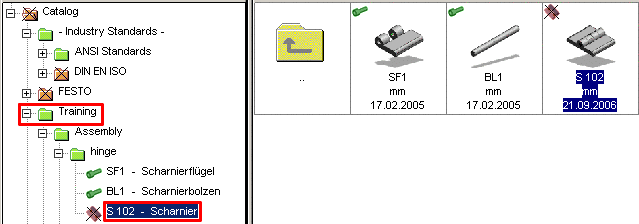
Upload the single parts "hinge wings" and "hinge bolts" by clicking on the corresponding line in the Assembly window.
Assign ERP/PDM numbers for one or all rows (database symbol with a blue plus sign).
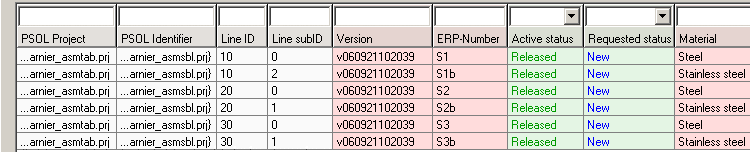
Open the corresponding datasets in the PARTlinkManager and set and via Set fields accordingly.
Duplicate the datasets so that for every geometry there are two datasets with different materials available.
Alternatively the variant can be set directly in thePARTdataManager via the ERP toolbar (database symbol with a red plus sign).
Exact information to Set fields and Duplicate can be found in the PARTsolutions manual for administrators under PARTlinkManager in the "Context Menus" section.