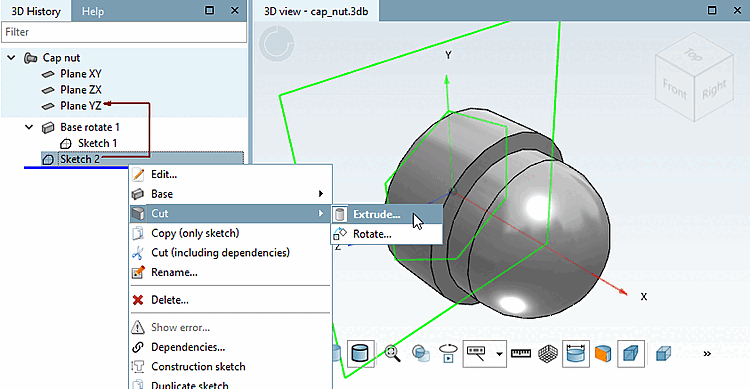
In the 3D History docking window, click on Sketch 2 with the secondary mouse button.
In the context menu, select the command Cut -> Extrude.... [Extrude...]
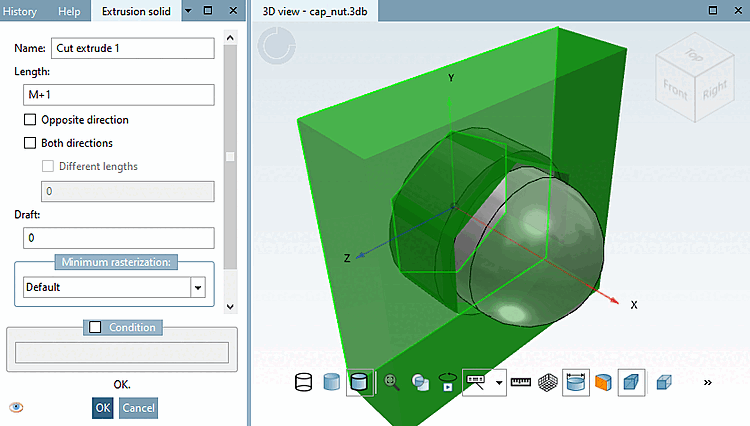
Enter the length [Length] of the extrusion [Extrusion] in the Extrusion body [Extrusion solid] dialog box: slightly more than the height of the hexagon, i.e. M+1.
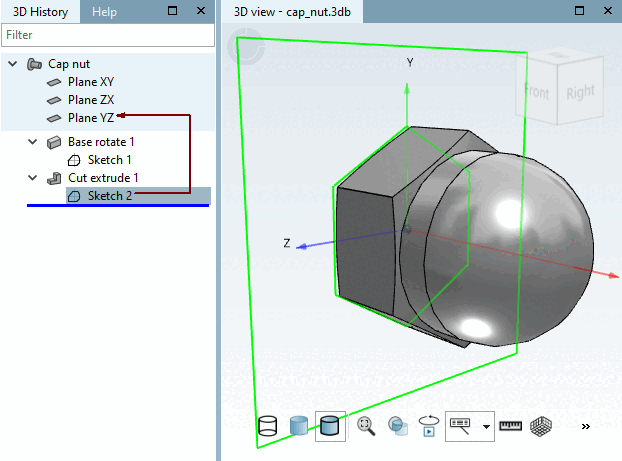
-> Sketch 2 is extruded in the positive x-direction and cuts the cap nut body. The superfluous material of the body is removed, leaving the hexagon as the contour.