|
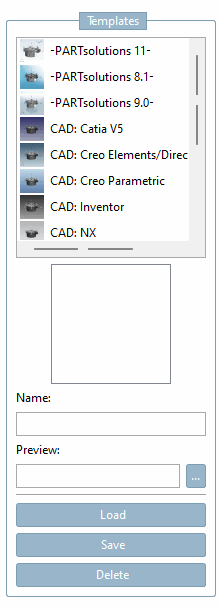
Various templates are already configured and available for selection: 8.1, 9.0, CAD: Catia V5, etc. The preview image of the selected template is displayed below the selections. Select a desired template and click Load. Make changes and click Save. To create your own template, proceed as follows: Select an existing template that comes closest to your ideas. Configure the template on all Tabbed pages. Enter the desired name [Name] under Name. Use Browse
... to load the desired preview image. Click Save.
Use Delete to remove templates.
![[Note]](https://webapi.partcommunity.com/service/help/latest/pages/en/partsolutions_user/doc/images/note.png) | Note |
|---|
If you delete templates, they cannot be reactivated! |
|
|