Chapter 5. Catalogs | Classifications 5.1. Catalogs: Installation via versioning system (SVN)
|  |
| Prev | Next |
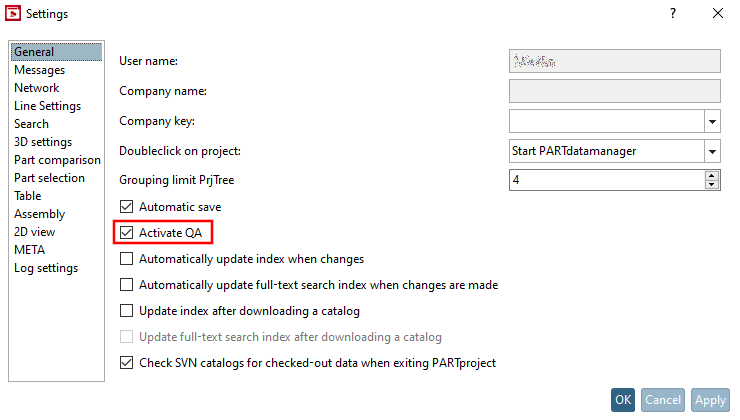
Open the dialog of the same name via PARTproject, Extras menu -> Settings.... [Settings...]
Activate the Enable QA [Activate QA] option.
Click on Svn login [Svn Login] in the Version management [Versioning system] menu.
Enter your login details and confirm with .
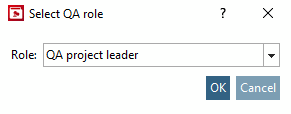
If necessary, select your QA role.
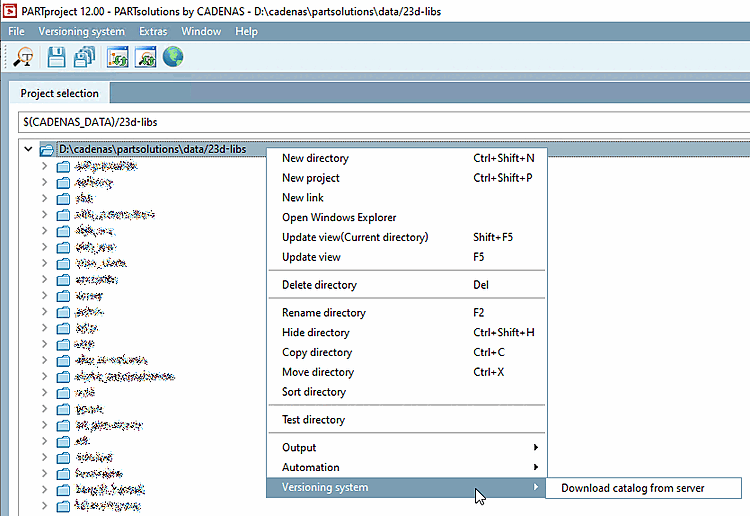
Download your catalog from the SVN.
.. .data/23dlibs -> Version management [Versioning system] -> Download catalog from server
![Svn registration [Svn Login]](https://webapi.partcommunity.com/service/help/latest/pages/en/partsolutions_user/doc/resources/img/img_d27e273f927b44daae75b0368571e36e.png)
![Svn registration [Svn Login]" dialog box](https://webapi.partcommunity.com/service/help/latest/pages/en/partsolutions_user/doc/resources/img/img_0adfb186b23d4049a0ef993634b04e46.png)