

PARTsolutions Professional and eCATALOGsolutions Customers are informed about new releases:
The update check takes place at the start of PARTdataManager, PARTproject and PARTdesigner.
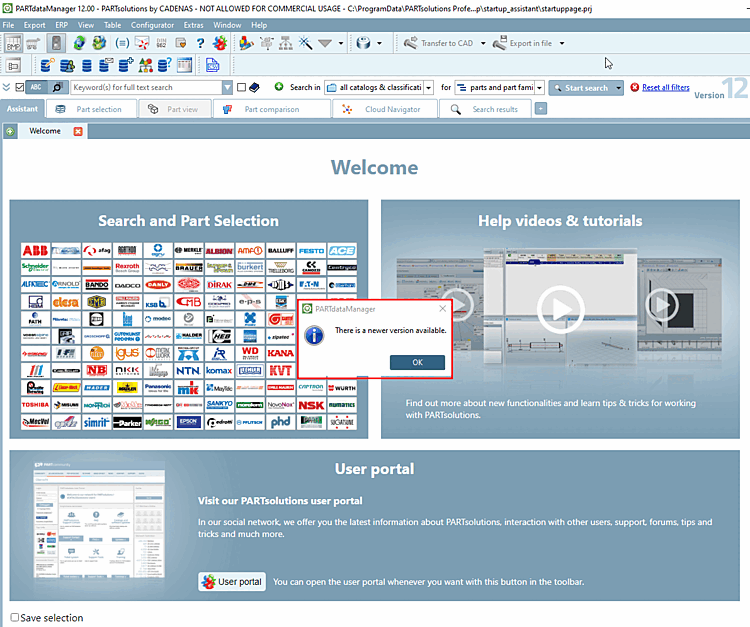
If an update is available, the following message appears: A newer version is available for download [There is a newer version available for download.]
It opens a link to the page with more information afterwards.
The automatic check can be switched off under Tools menu [Extras] > Settings [Settings...]... > Update notification. To do this, deactivate the Activate automatic update notification option.
!["Activate automatic update notification [Activate automatic update notification] " option](https://webapi.partcommunity.com/service/help/latest/pages/en/partwarehouse/doc/resources/img/img_e20e3910789741508b823a250b2a17f5.png)
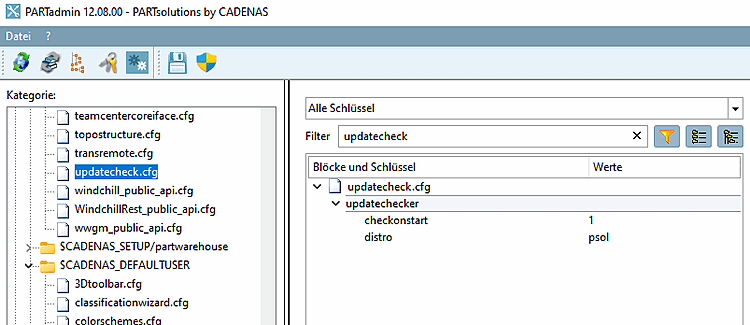
The setting is saved under $CADENAS_USERin the configuration file updatecheck.cfg, block updatechecker, key checkonstart.
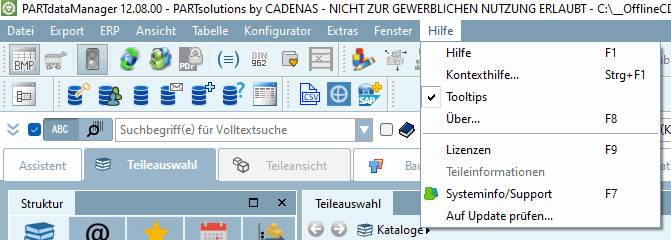
In the Help menu [Help] > menu item Check for update. [Check for update...].. menu item, you can perform a manual check at any time.
-> A corresponding message then appears.
![Example 1: "There is no newer version available [There is no new version available.]."](https://webapi.partcommunity.com/service/help/latest/pages/en/partwarehouse/doc/resources/img/img_0f9787fc070940deb38b5a2ef5a54f34.png)
![Example 2: A newer version (%1) is available for download [A newer version (%1) is available for download.]](https://webapi.partcommunity.com/service/help/latest/pages/en/partwarehouse/doc/resources/img/img_1bbffc06a4af488daadc9c2dee1ba1c6.png)
Example 2: A newer version (%1) is available for download [A newer version (%1) is available for download.]