5.17.6. ENTERPRISE 3Dfindit with LinkDB - Error Handling
During Catalog Updates 5.17.6.1. Revision / Updating the LinkDB
|  |
| Prev | Next |
The revisioning in the projects takes place automatically during a catalog update.
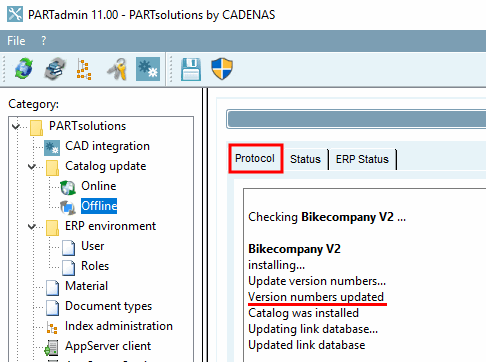
After reinstalling a catalog, you will see the message shown here at the end of the process.
When using ENTERPRISE 3Dfindit with ERP integration, the version number in the LinkDB is also updated during the catalog update.
If the version number entered in the project file and in the LinkDB do not match, the project cannot be displayed in PARTdataManager.
This could, for example, have been caused by deleting and reinstalling a directory.
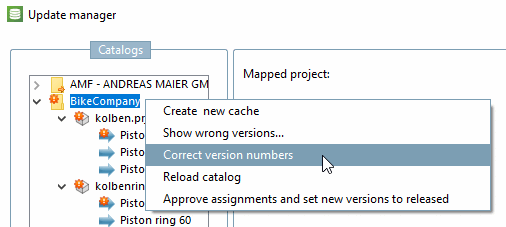
Using PARTlinkManager -> Tools [Extras] -> Workflow -> Update Manager [Update manager] -> Context menu of the catalog -> Correct version numbers [Correct version numbers] , the entry in the LinkDB can be easily corrected.
For more information about the Update Manager [Update manager], see Section 5.27.4.3.4, “ Catalog update - Update Manager ”