
 |
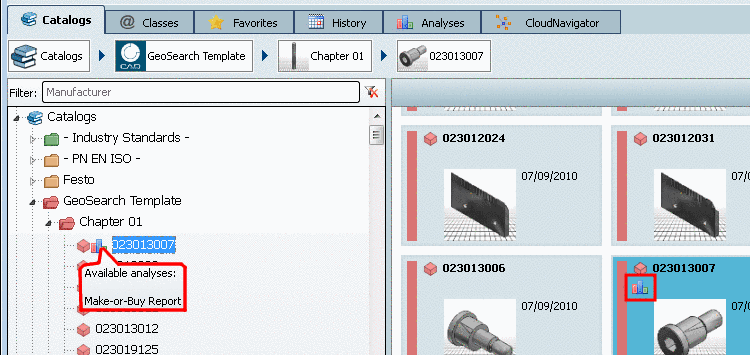
Up to now the
existence of a report has only been signalized by an icon  in the index tree, even if the report referred to a
certain row (characteristic).
in the index tree, even if the report referred to a
certain row (characteristic).
As of PARTsolutions V9.08 in this case the icon is also displayed in the table, in the respective row.
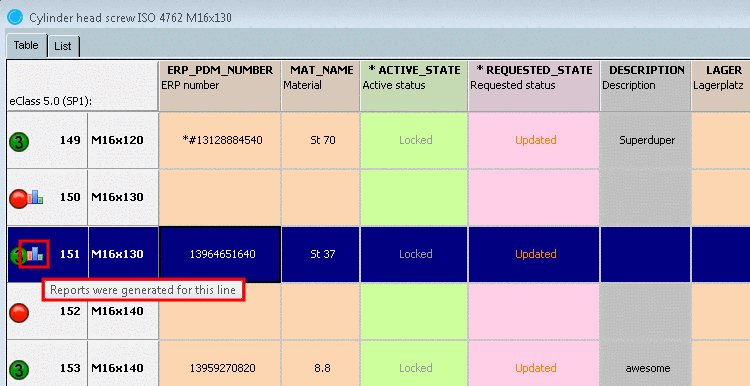
Clicking on the icon the respective report opens. If there are more reports available, a dialog box opens where the desired report can be selected.
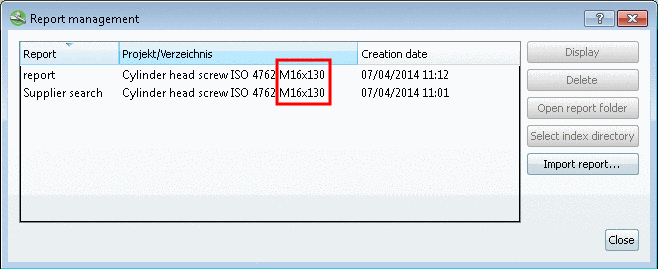
If a report has been created based on a row (characteristic), the standard name (NB) is displayed, otherwise the standard text (NT).
The list of
available reports is saved under $CADENAS_USER/reports.xml.
Detailed information on reports are found under:
Section 3.1.13.2, “ Duplicates Report ” in PARTsolutions - User manual
Section 3.1.13.1, “ Purchineering ” in PARTsolutions - User manual
Section 3.1.13.3, “ Unmachined / Finished part report ” in PARTsolutions - User manual