
Chapter 2. V12.14 2.5. ENTERPRISE
3Dfindit: Custom button in the main menu with display name and
tooltip |  |
| Prev | Next |
The
Configurability of custom main menus in 3Dfindit has been
expanded. Administrators can now display name [mainMenuTitle], tooltip
[mainMenuTooltip] via the custom_config.json and
(tooltip had already been possible before).
This allows customer-specific menu entries to be clearly
more user-friendly.
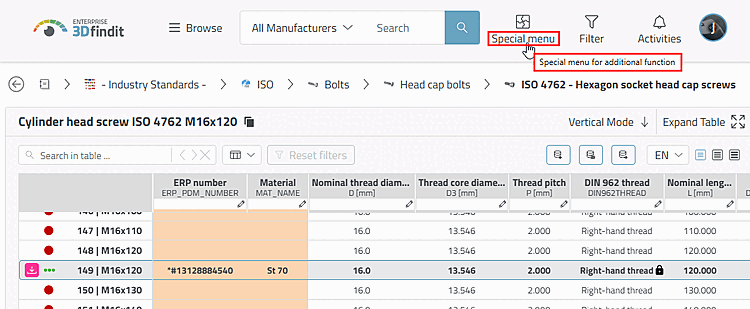
The new
Configuration options in the toolbars section of the custom_config.json file :
{
  "baseApiPath": "",
  "basename": "/webapps/3dfindit-enterprise",
  "erp": true,
  "startRoute": "CadBim",
  "isEnterprise": true,
  "toolbars": {
    "mainMenu": [["button1"]],
    "mainMenuTitle": {
      "de-DE": "Spezial Menü",
      "en-GB": "Special menu"
    },
    "mainMenuTooltip": {
      "de-DE": "Spezial menü für zusätzliche Funktionen",
      "en-GB": "Special menu for additional function"
    },
    "buttons": {
      "button1": {
        "type": "JS",
        "name": {
          "de-DE": "Button 1",
          "en-GB": "Button 1"
        },
        "callback": "onSleep",
        "tooltip": {
          "de-DE": "Button 1",
          "en-GB": "Button 1"
        }
      }
    }
  }
}
For full details on custom buttons, see " Section 5.23.3.2, “Adding buttons to the user interface ” in ENTERPRISE 3Dfindit (Professional) - Administration."