General information about the company and partnerships
Don´t miss anything! Inform yourself aboutall news and events.
The next dimension visual 3d search engine for manufacturer components
Fast and comfortable support for all questions about our products & solutions.
Explore more exciting content here.
Use our contact form or find a branch office nearby.
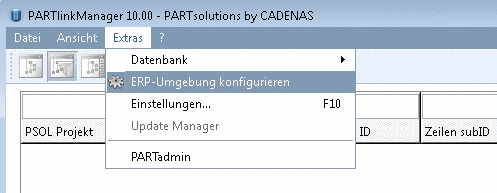
PARTlinkManager -> Extras -> Configure ERP environment -> Configure window -> Activate ERP (PARTdataManager) and/or (PARTproject)
Activate or deactivate the Activate ERP checkbox and restart the application.