|
As of v9.04 you can automatically create the sketch views from a part, afterwards modify in the sketcher and then use for a Sketch search.
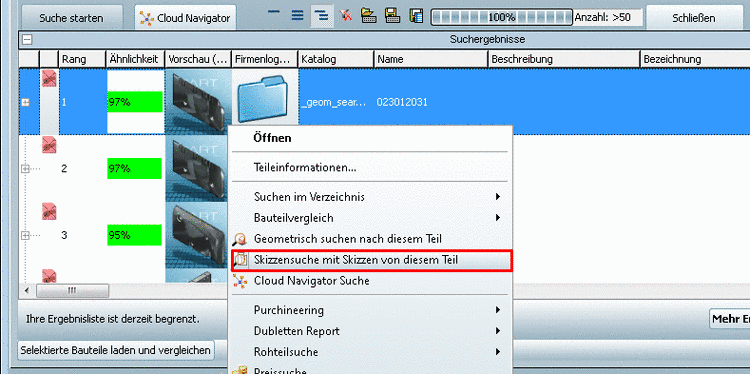
Click Sketch search for this part:
You can find the command in the context menu of projects (in the directory tree or in result lists).
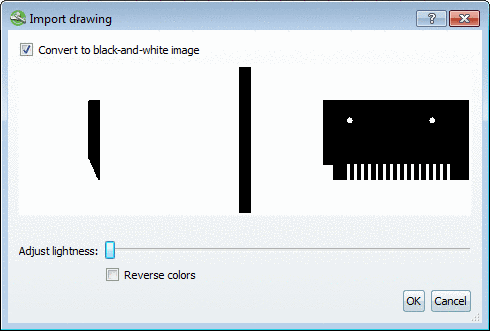
Automatically 3 sketch views are generated and displayed in the Import drawing dialog box.
Here you can optionally adjust colors and brightness.
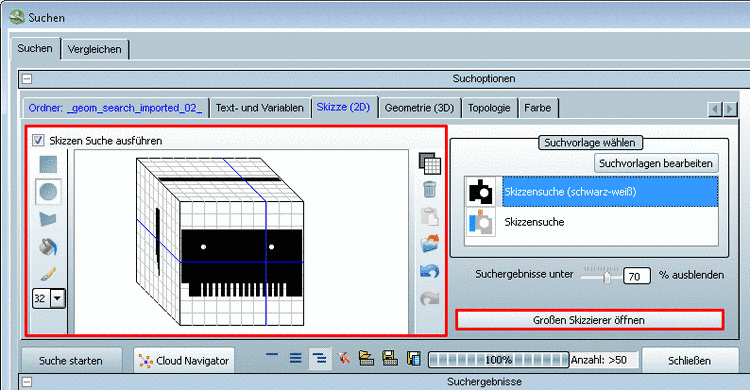
In the sketcher (default sketcher or large sketcher) now the sketches can be possibly modified in addition and then used for a sketch search.
Details on the sketcher are found under Section 3.1.6.4.7, “ Sketch search (2D) ” in PARTsolutions - User manual.