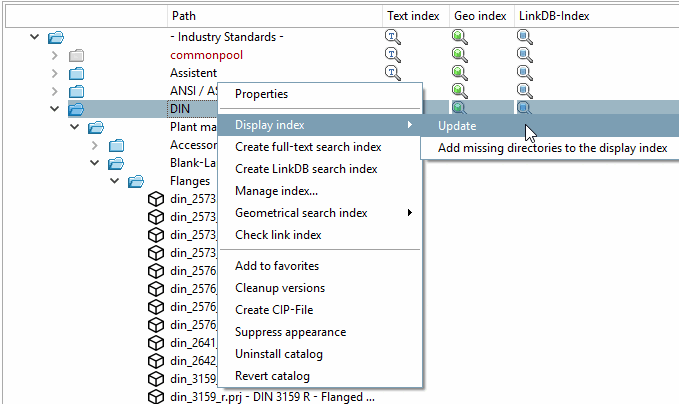
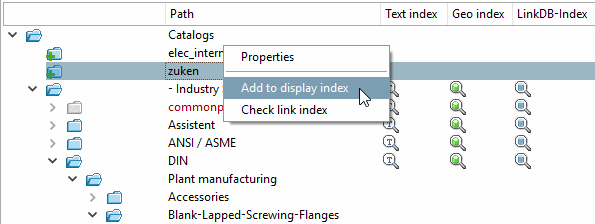
As soon as in PARTproject or at file level, the corresponding icon is displayed in PARTadmin in the index management  is displayed in the index management.
The command is displayed when calling the context menu on the respective directory.
Alternatively, as long as no index exists, you can also delete the data again (in PARTproject or at file level).
Display index -> Refresh [Update]
When executing this command, the clicked directory including all subdirectories is searched and the Display index is updated.
The display index is required for saving or displaying the directory structure. It must be present so that the other indices can be generated and the catalog can be displayed in the PARTdataManager can be displayed. Other indexes are optional for the functionality in the PARTdataManager (although they are useful in order to be able to use both the full text search [Full-text search] and the various geometric search methods).
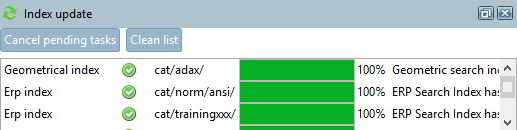
As soon as the command has been executed, the progress indicator appears at the bottom of the display area under Index update.
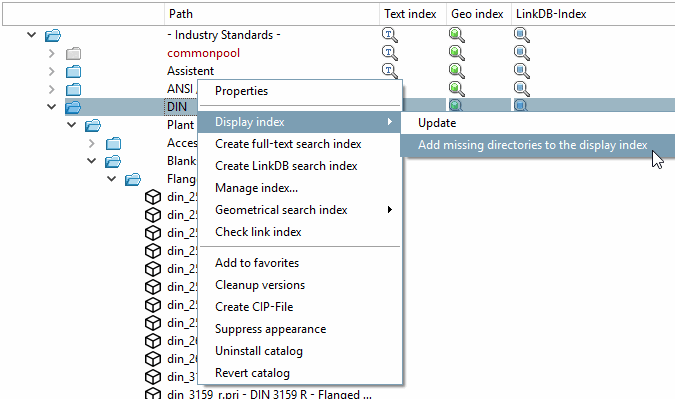
Display index -> Include missing directories in the [Add missing directories to the display index] display index
The function only adds missing directories into the index, which are directly under the chosen one. Directories, which are further down in the hierarchy are not added.
![[Note]](https://webapi.partcommunity.com/service/help/latest/pages/en/partwarehouse/doc/images/note.png)