
2.1.6.7.1. Modalità di visualizzazione
2.1.6.7.1.1. "Modalità di visualizzazione "Dettagli
|  |
| Indietro | Avanti |
In
 Modalità dettagli [Details]
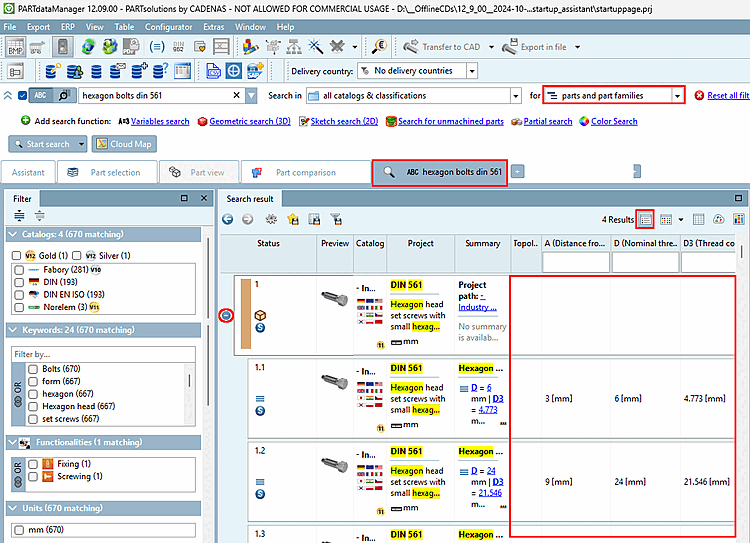
(Impostazione predefinita) sono impostate per impostazione predefinita[69] di tutti i risultati, il che può portare a
tabelle larghe (se la ricerca passa su molti cataloghi o
parti diverse). Pertanto, i campi possono anche rimanere vuoti,
se il componente in questione non contiene determinate variabili.
Modalità dettagli [Details]
(Impostazione predefinita) sono impostate per impostazione predefinita[69] di tutti i risultati, il che può portare a
tabelle larghe (se la ricerca passa su molti cataloghi o
parti diverse). Pertanto, i campi possono anche rimanere vuoti,
se il componente in questione non contiene determinate variabili.
Filtro variabile nell'intestazione della colonna
Sopra ogni colonna è presente un campo di immissione per il filtraggio. Anche se non tutti i risultati vengono visualizzati nei risultati della ricerca, il filtro influisce comunque su tutti i risultati e regola dinamicamente la visualizzazione delle variabili della tabella. È possibile filtrare più variabili una dopo l'altra; i valori già inseriti vengono mantenuti.
Nell'esempio seguente, la ricerca full text è stata utilizzata per cercare "vite cilindro" e il valore numerico "50". I termini di ricerca sono evidenziati in giallo.
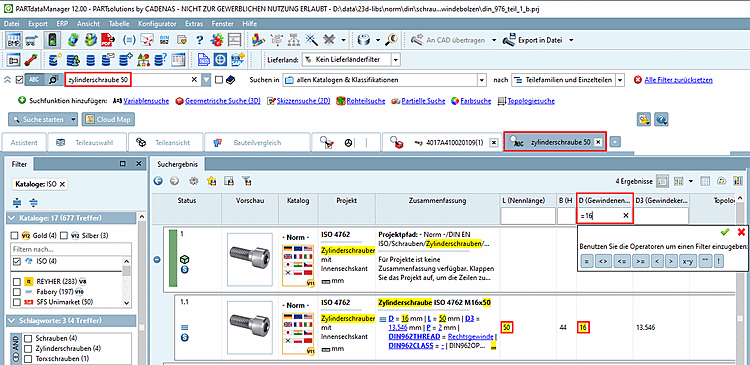
Figura 2.468. Tenendo premuto il pulsante del mouse sull'intestazione di una colonna, è possibile trascinare in avanti le variabili che si desidera visualizzare.
![[Nota]](https://webapi.partcommunity.com/service/help/latest/pages/it/partsolutions_user/doc/images/note.png)
![Impostazioni... [Preferences...] -> Selezione delle parti [Part selection]](https://webapi.partcommunity.com/service/help/latest/pages/it/partsolutions_user/doc/resources/img/img_831ab3981e7a4ccdb2ef42683146c1f0.png)



Se lo spazio non è sufficiente per visualizzare tutte le informazioni, ciò viene segnalato dalla visualizzazione di "altro.. [more...].". Ciò avviene in particolare nelle colonne Riepilogo [Summary] e Topologia [Topology].
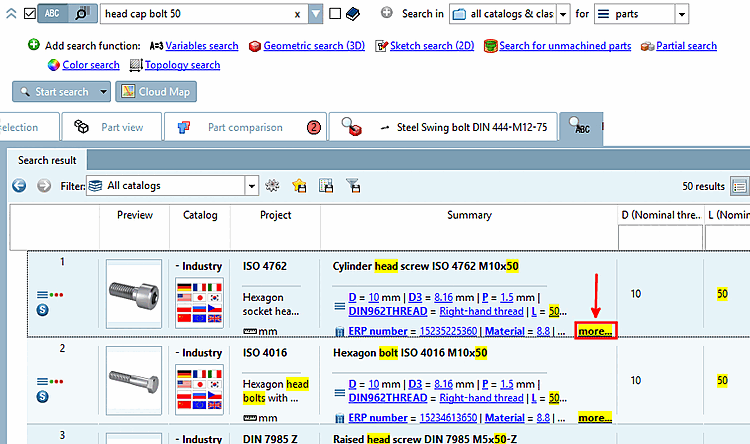
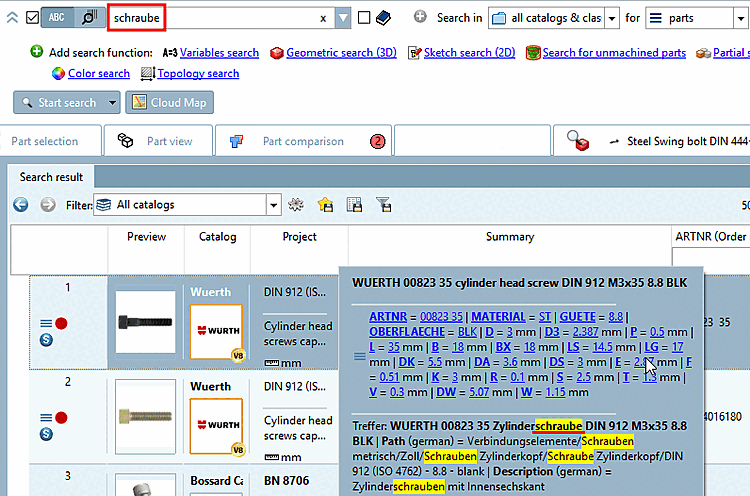
Figura 2.472. Quando si cerca "bolt" nell'interfaccia utente tedesca, è possibile vedere dove si è verificato l'hit nella vista espansa.
![La ricerca di valori topologici tramite una ricerca full-text può restituire molti valori. Per vedere tutti i valori, cliccare su "altro [more...]...".](https://webapi.partcommunity.com/service/help/latest/pages/it/partsolutions_user/doc/resources/img/img_062295b7933749d1b4720ca81c3b165c.png)
Figura 2.473. La ricerca di valori topologici tramite una ricerca full-text può restituire molti valori. Per vedere tutti i valori, cliccare su "altro [more...]...".
[69] È possibile modificare la visualizzazione in che vengano visualizzate solo le variabili del rispettivo risultato. Sezione 2.1.6.7.2, “Mostra/nascondi le colonne ” Vedere l'opzione -> "Tutte le variabili della tabella". per visualizzare le variabili [All table variables]