
 |
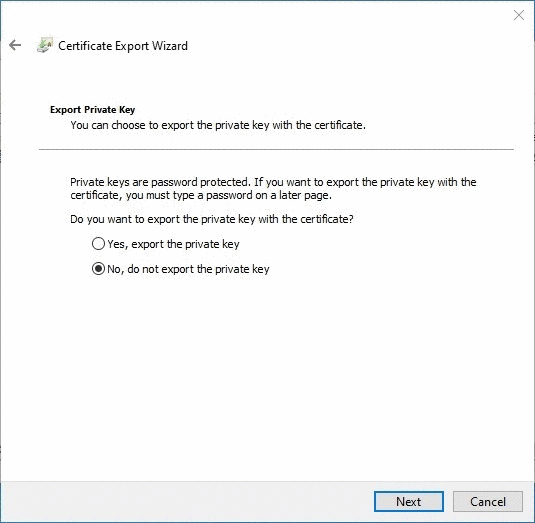
To export the certificate right-click on the certificate and select All Tasks -> Export.
Select the location and a name for the exported certificate and select and select (In this example the location will be the C:\ drive and the name of the file will be certificate).
Select and . The export process is done. Distribute the exported certificate to all clients.

In the next steps the certificate will be imported first on the server and then on the clients.