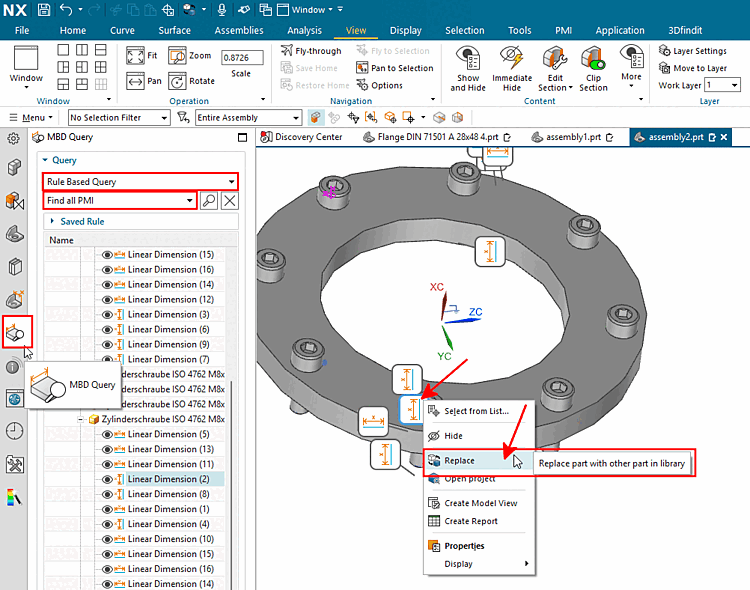
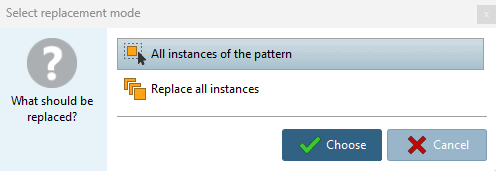
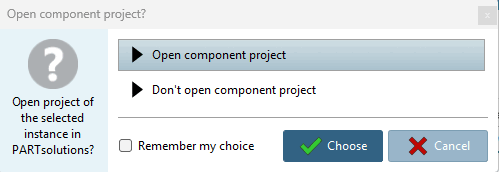
As soon as a dimension object is visible and selectable in an assembly, a replace command can be executed via the context menu, which replaces the component to which this dimension object belongs.[1]
The procedure described only works perfectly from NX2312 onwards.
In ifugnx.cfg > block "CreationOptions(is3d):include(CreationOptions)", the key "CreateDimensions" must be set to the value 1 (default=0).
The "MN_replace3d_Environment" in ifacecommon.cfg must contain "context" (which is the case by default).
![Select application [Choose Application]](https://webapi.partcommunity.com/service/help/latest/pages/en/3dfindit/doc/resources/img/img_a21f4d4d30344ea9b17fbe044c99fb2e.png)