| Note |
|---|---|
The " Enable Automatic Login" option (plinkcommon.cfg -> [Login] block -> "AUTOLOGIN" key) no longer exists. | |
An (automatic) login works as follows:
First, it is checked whether the user has already once logged in. The information on this can be found in
$CADENAS_USER, in thetoken.db.If information from the last login is available there, it will be used.
Otherwise, the application attempts to log in using the Windows login, but only if the " Windows " login method is enabled in the Permissions Management [Rights administration] section under User Databases [User databases].
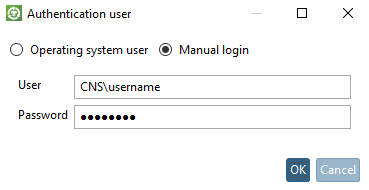
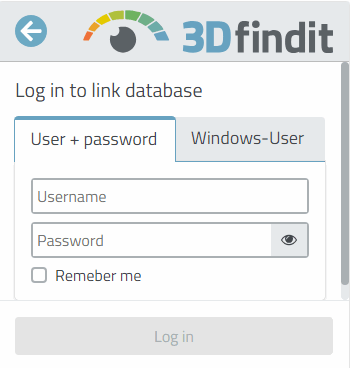
Otherwise, a login dialog with the enabled login methods is displayed.
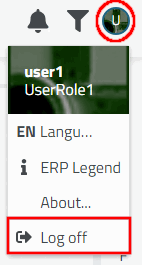
Regardless of this, you can open the " Authenticate User" [Authenticate user] or " Log In to Link Database [Log in to link database] " dialog box at any time from PARTdataManager / 3Dfindit.

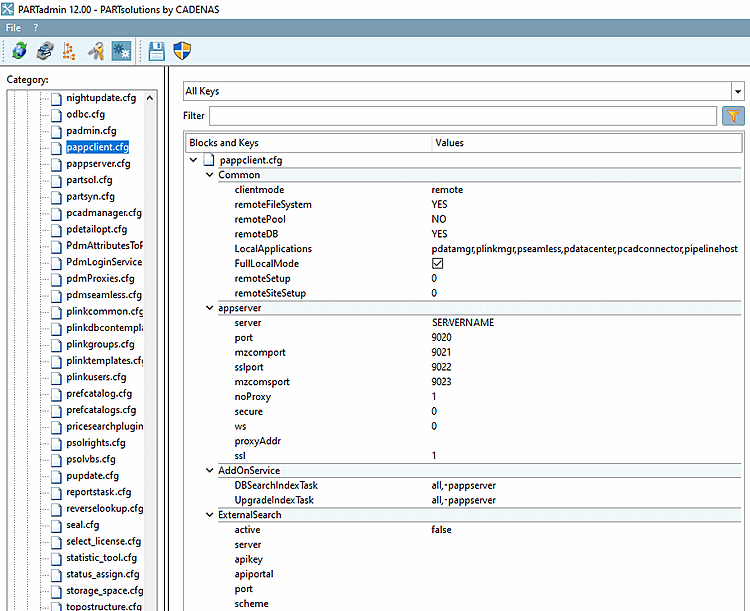
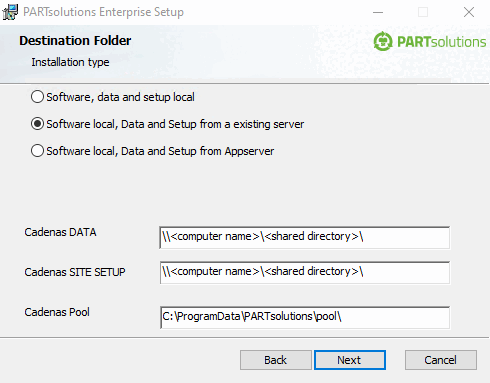
The "applications" key no longer exists. It was removed because more and more applications are retrieving the SiteSetup via the app server, so it no longer makes sense to specify individual applications for this purpose. Either a computer has direct access to the directories (CADENAS_DATA, CADENAS_SETUP, CADENAS_SITESETUP, etc.) or it does not. In most cases, only one (admin) computer is needed on which settings are configured and catalogs are installed. In this case, it makes sense to use the CADENAS_APPSERVER variable to disable the RemoteFilesystem, the RemoteIndex, and the RemoteDatabase. The configuration options (parameters) for CADENAS_APPSERVER are described in Section 5.24.3.3, “ENTERPRISE 3Dfindit Client” documentation.
The
Evaluation of the pappclient.cfg is as follows
from:
First, check whether a variable is set CADENAS_APPSERVER . If Yes, the
pappclient.cfgis not evaluated, but all settings are pulled from the variable CADENAS_APPSERVER .Next, the system checks what should run on the app server:
Distinction between local mode and remote mode ( clientmode key)
In local mode, the app server is started by the client if it is not already running. In this mode, the " LocalApplications " key is evaluated. All applications specified there start the app server or connect to it. PARTadmin also starts an app server. The applications use the app server for searching.
In local mode, PARTadmin always accesses the file system and the database directly. This means that the settings above are ignored.
In remote mode, all applications always access the AppServer.
If the client application runs on the same computer as the application server, the following rule applies:
For PARTadmin: All settings ( remoteFileSystem, remoteSetup, remoteSiteSetup, remoteDB ) are ignored. Access always occurs directly.
All other applications: remoteFileSystem is ignored. The reason is that the application server launches applications such as psolupdater, which access CADENAS_DATA with write permissions.