7.9.3.6.1.
Insert rectangle
 Insert rectangle
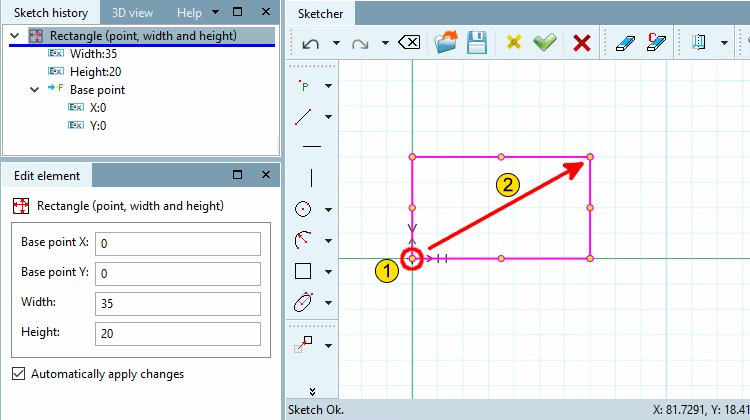
Create a rectangle over a base point [Base point] ( 1 ) and diagonal end point [End point] ( 2 ).
Click on the base point and drag the rectangle with the mouse.
Fix the end point with a mouse click.
Determine the exact position (base point X and base point Y ) and the dimensions (width [Width] and height [Height] ) in the Edit element docking window.