Default storage location for the pool
Default value for CADENAS_POOL with a Reinstallation is
PRODUCT_DATA\POOL.
Important Was the pool in V11 below by
CADENAS_DATA, this may not work in V12 in all cases. [a][a] #146789
Installation Notes: For details on installing ENTERPRISE 3Dfindit, see the Section 4.5, “ENTERPRISE 3Dfindit Installation ” in Installation section.
Version update within V12: Simply run the MSI installer for the update version .

The server must already be set up and running.
The server, client, and even the CAD version must be identical.[90]
Not only must the CAD interface be fully installed on the server, but also the CAD system itself.
An existing V11 installation and an installation using the V12 ENTERPRISE 3Dfindit Consulting Installer access the same environment variables and paths. To avoid any interference, it is best to uninstall any existing V11 installation first.
If, however, you plan to run the system in parallel, be sure to follow the instructions at Section 5.24.7, “Parallel use of V11 and V12”.
Installation cadenas_threads.cip
Please install the latest
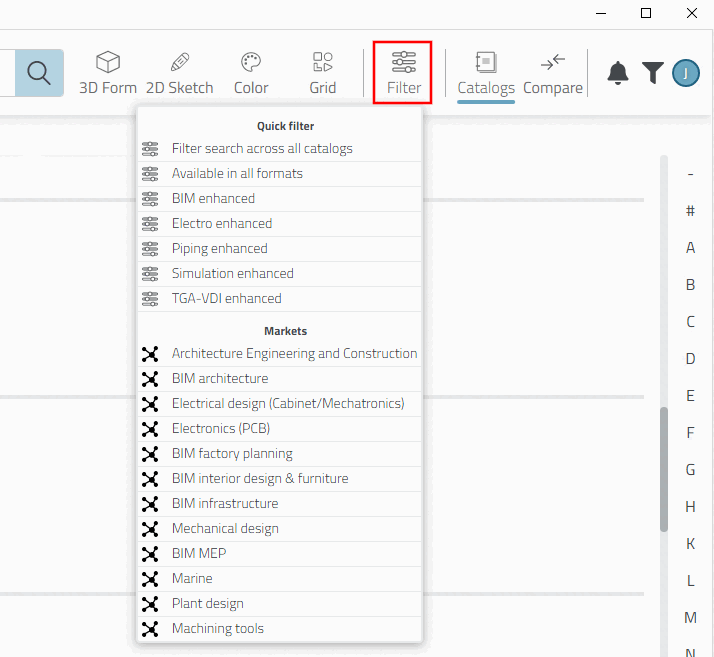
cadenas_threads.cip.Various markets are defined under the " Filter " function. Otherwise, they are not visible. Additional quick filters are also available.
As soon as a new
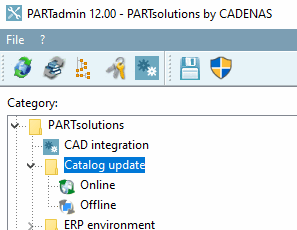
cadenas_threads.cipfile is available, it will be offered online during the catalog update. Otherwise, the file cancadenas_threads.cipbe targeted via Catalog Update To Be Installed Offline (available at\\Server name\cip_v9\catalogs\_CNS\Threads).