

After projects have been classified, i.e. classes and, if necessary, characteristics have been assigned to them, the display index and classification index must be updated. You can do this most conveniently directly in PARTproject.
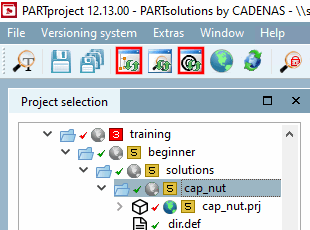
To do this, click on the Update index and Update classification index buttons.[60]
After the index has been updated, the classified projects are now displayed in 3Dfindit and PARTdataManager.
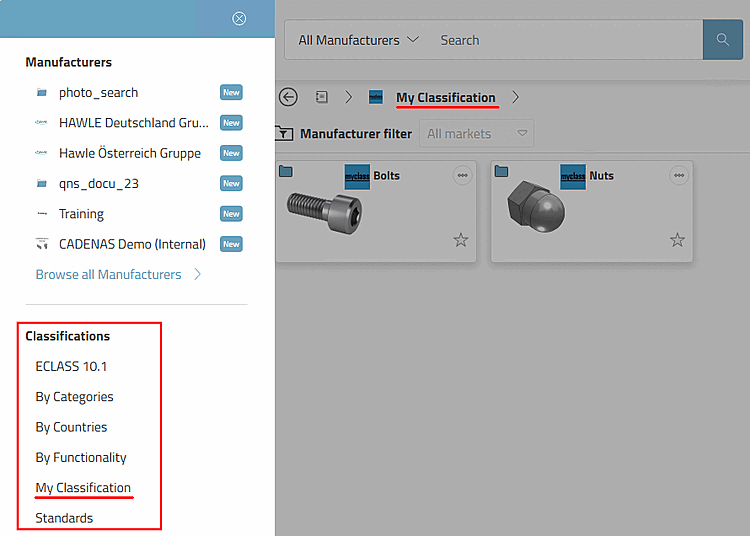
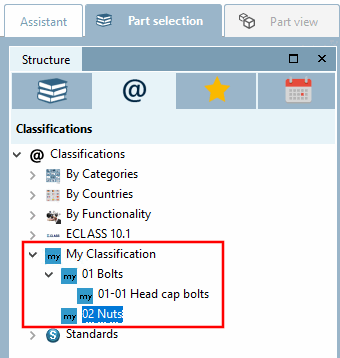
By default , PARTdataManager only Classes to which projects have already been assigned. The behavior can be set for each classification via configuration file. [61]
[60] Alternatively, you can also update the index in PARTadmin. See Section 1.4.3.6, “ Index administration ” in ENTERPRISE 3Dfindit (Professional) - Administration.
[61]
$CADENAS_DATA/classystem.cfg ->
<classification name> -> key ShowAllNodes (if necessary, even
-> value range 0 (All classes are displayed, including
empty.)/1 (Only classes that have at least 1 project
included.)