

 /
/  preferred row [Preferred ranges]
/
to: After activation, the
Product selection, only products with preferred parts are displayed, in the table
only corresponding lines.
preferred row [Preferred ranges]
/
to: After activation, the
Product selection, only products with preferred parts are displayed, in the table
only corresponding lines.
Why a preferred series filter? The use of parts already entered in ERP/PDM significantly reduces the variety of parts.
Preferred series are usually defined by the presence of an ERP number.[22]
If products contain characteristics with an ERP number, this is already color-coded in the product selection.
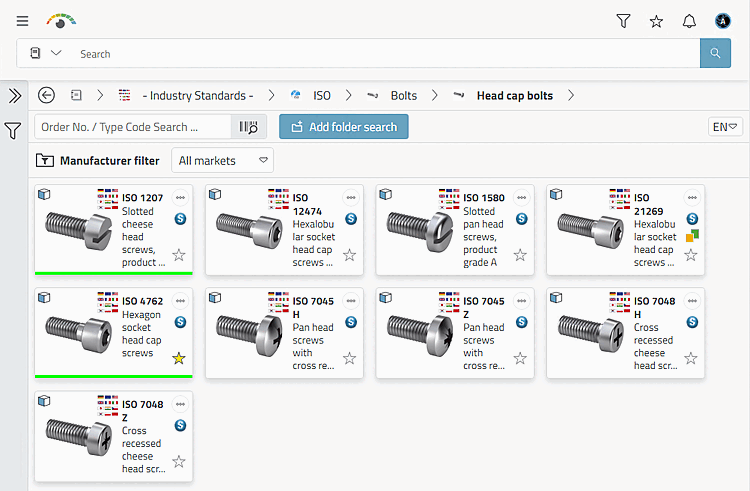
In the example illustration, light green means, for example, that there is at least one characteristic in the relevant directory that can be exported.
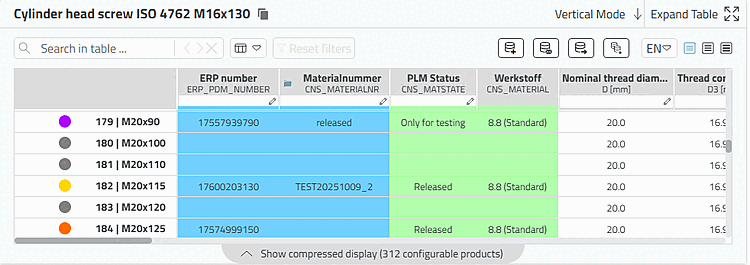
The following illustration shows status icons when the preferred row filter is switched off.
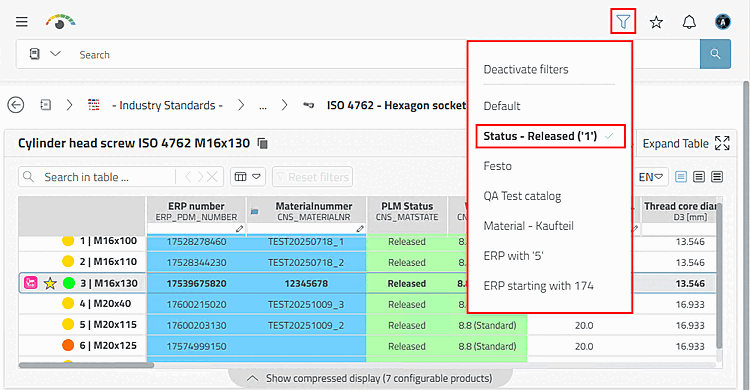
If there are several preferred row filters, a selection dialog appears when you click on the icon. In the following example, all rows with gray and purple icons are hidden when the preferred row filter is activated because they do not have an ERR number.
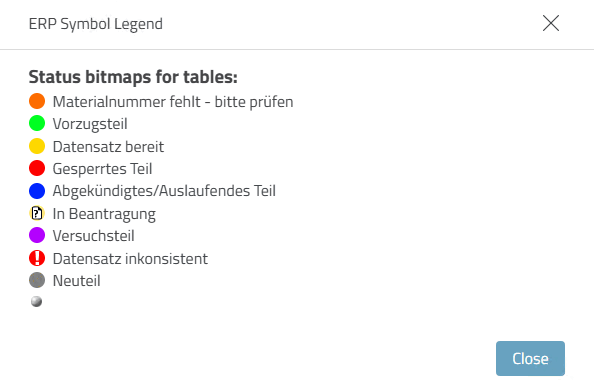
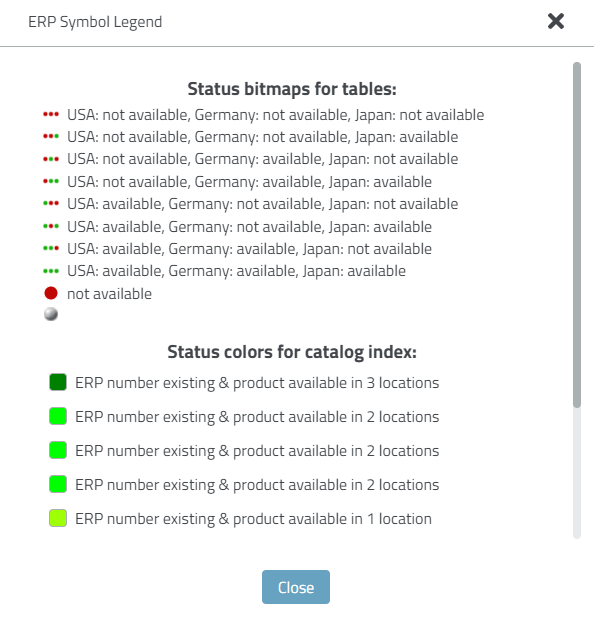
The exact meaning of the icons and colors can be found in the ERP legend [ERP Legend].
![Calling up the ERP legend [ERP Legend]](https://webapi.partcommunity.com/service/help/latest/pages/en/ecatalogsolutions/doc/resources/img/img_7bc5b37221974d518afc273ec5bddcea.png)
The legend shows the meaning of the status bitmaps in the table and the status colors in the product selection.
![[Note]](https://webapi.partcommunity.com/service/help/latest/pages/en/ecatalogsolutions/doc/images/note.png)
[22] However, completely different preferred series definitions are also possible. Details on this can be found under Section 5.7.5.1.2, “ Preferred series - plinkgroups.cfg -> Block [Role_name] -> Key "PREFRANGE" ” in ENTERPRISE 3Dfindit (Professional) - Administration.