

The 2D derivation button or the corresponding menu item open the
Docking window 2D derivation or
bring it to the fore.
or the corresponding menu item open the
Docking window 2D derivation or
bring it to the fore.
To display the solid from the 3D view in 2D mode, please select a perspective (Front [Front], Back, Right, Left, Top, Bottom ) or view under Standard views [Default views] or Combination views.
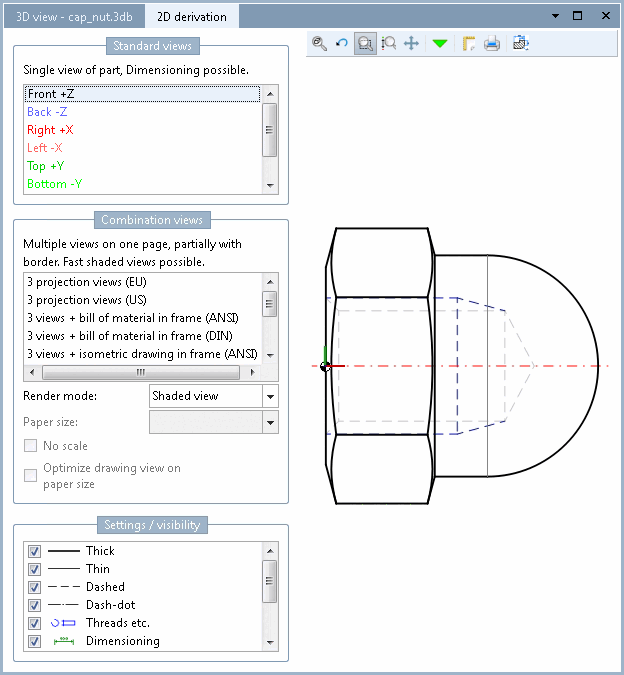
Also see Section 7.10, “ Docking window "2D deriv ation" ”.
Details on the 2D view in the PARTdataManager can be found under Section 7.10.1, “ Create 2D derivation ”.