

![[Note]](https://webapi.partcommunity.com/service/help/latest/pages/en/ecatalogsolutions/doc/images/note.png)
The Table window button button or the corresponding menu item opens the Table docking window or brings it to the foreground.
Changing a table row or a value range automatically visualizes the corresponding characteristic in the 3D view, sketcher [Sketcher] or 2D derivation docking window.
If PARTdesigner is started via the 3db file, the table appears by default in the lower area of PARTdesigner (see ???). This view is also used if a prj or 3db file is opened within PARTdesigner file menu [File] -> Open to open a prj or 3db file.
If PARTdesigner is started via the tab/tac file, the table is given a large area by default. This view is also used when a tab/tac file is opened within PARTdesigner file menu [File] -> Open to open a tab/tac file.
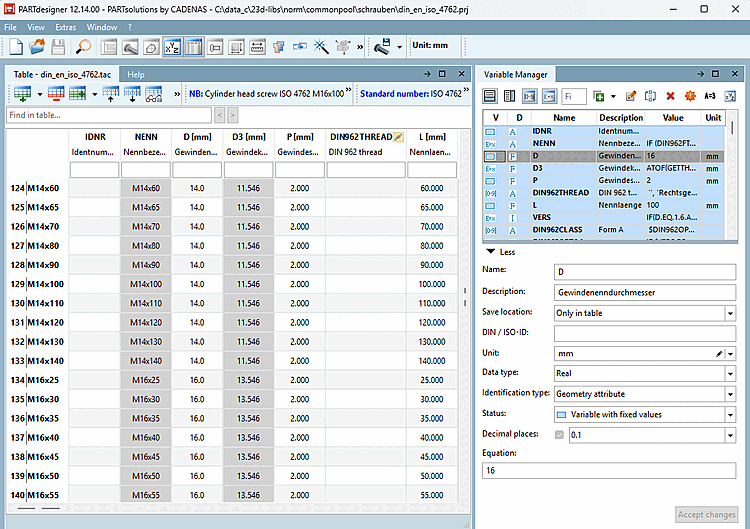
Detailed information on the table [Table] can be found at Section 7.12, “ Docking window " Table " ”.