
 |
Within PARTdataManager complete connections (blind hole and through borings) can be exported to the CAD system. With PARTsolutions V9 the functionality was integrated into the PARTdataManager.[62]
With click on
 Connection the
Connection section is opened or is called in the
foreground, if it has already been active. Furthermore the window positions
are set back.
Connection the
Connection section is opened or is called in the
foreground, if it has already been active. Furthermore the window positions
are set back.
When you use the Insert Connection command in the PARTsolutions menu in your CAD system the concrete wall thickness of the parts to connect is detected and automatically transferred to PARTsolutions.
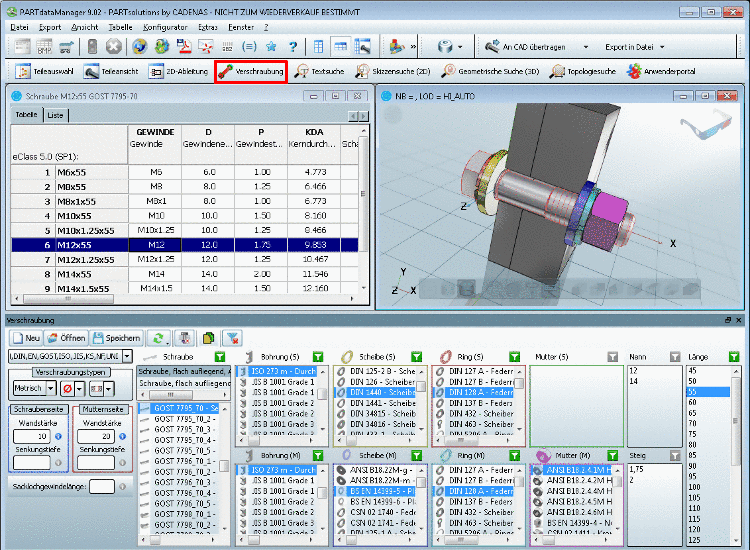
Anytime you can
switch between the "View" toolbar commands
 Part selection,
 Part view and
Connection.
Part view and
Connection.
The former PARTconnection has been reworked and improved with version 9 in several aspects. In particular the functionality has been integrated in PARTdataManager.
Innovations with version 9.03 SP2
As of v9.03 SP2 the input fields for the hole length (Part thickness), Blind hole thread length u. Counterbore depth signalize the validity of the entered value as color code:
Green: Value is supported by the current or the selectable holes.
Yellow: Possibly the current value is not supported by a valid hole. May be there is a connection or hole supporting the value, but possibly it is for other connection types, e.g. for connections with another basic unit.
Red: Value is not supported by any hole under no circumstances.
The entry of a counter bore depth lager than the hole length is prevented.
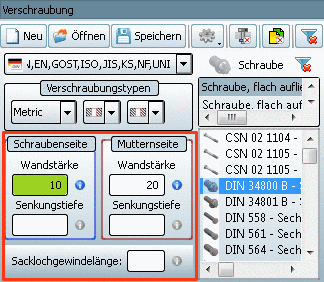

A detailed description is found under Verschraubungen.
[62] Up until PARTsolutions V9, connections could only be created via the separate module PARTconnection and then transferred to the CAD system.