

The Identification details [Identification data] dialog box appears automatically when a 3db/3gb file is saved on the Geometry tab page.
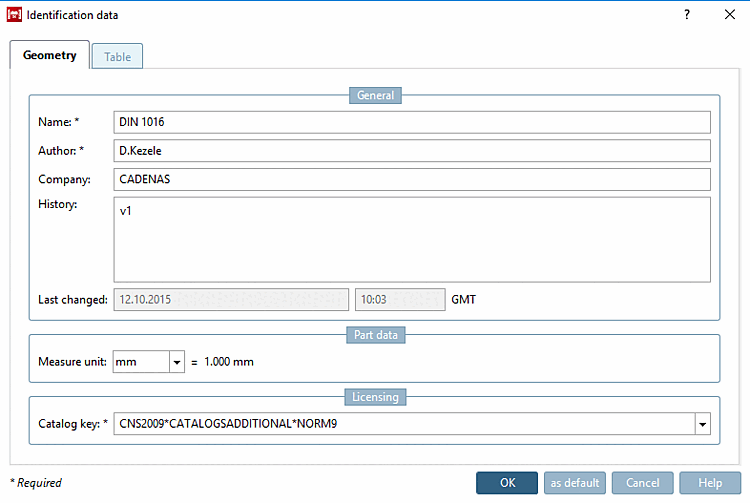
However, it can also be called up at any time via the context menu (secondary mouse button) of the component name by clicking on Identification details. [Identification data...].. can be called up at any time.

Specific information and comments on the respective part: Component [Part name] name, author [Author], company [Company], history [History], last change [Last change]
![[Note]](https://webapi.partcommunity.com/service/help/latest/pages/en/installation_ecatalogsolutions/doc/images/note.png)
Note The catalog key is specified in the following schema:
CNS2009*CATALOGS*KATALOGNAME
The beginning is always
CNS2009*CATALOGS*. The supplementary catalog name is completely in capital letters and possibly numbers (but without separators and special characters).[a][a] Since V9, the catalog key begins with CNS2009*CATALOGS*

All entries in the fields can be saved as default settings [as default] for other components (File [File] → New ) using the button of the same name - e.g. if the company name or author is to be retained.