

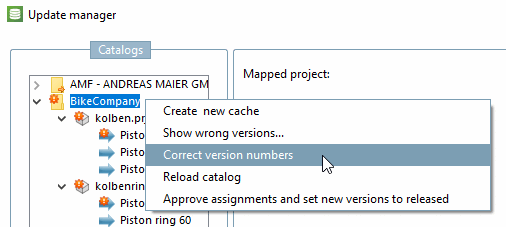
The Correct version numbers command is not normally required, but only for troubleshooting.
If the version number entry in the project file (verhist.cfg
) and in the LinkDB ( Version column) are different, the project cannot be displayed in the PARTdataManager cannot be displayed.
This could possibly happen by deleting and new installation of a catalog.
In the PARTdataManager the following error message appears:
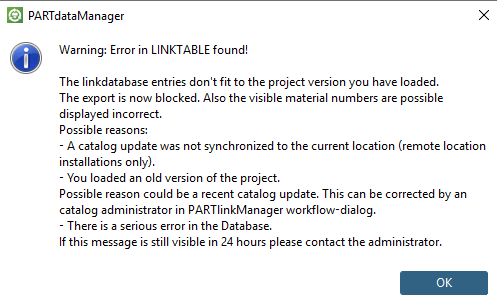
In order to correct the error do the following:
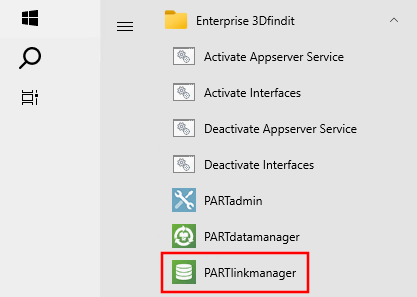
![PARTdataManager -> Call up PARTlinkManager [Launch PARTlinkManager]](https://webapi.partcommunity.com/service/help/latest/pages/en/partsolutions_admin/doc/resources/img/img_3792526fbfe54452b0917d9b345caf73.png)
![Call Update Manager [Update manager]](https://webapi.partcommunity.com/service/help/latest/pages/en/partsolutions_admin/doc/resources/img/img_bc64402bf19c414f9f5f3384a6c42619.png)
![[Note]](https://webapi.partcommunity.com/service/help/latest/pages/en/partsolutions_admin/doc/images/note.png)
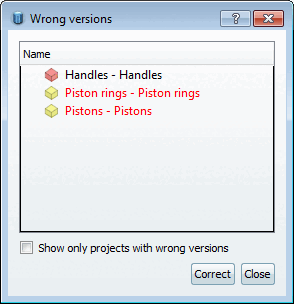
During the correction run, variables that may have changed and the MIdent are also adjusted. Edited rows are recreated in the LinkDB with the correct version number. The value in the ACTIVE_STATE column is "Locked ".